


How it works
A gift to the channel.
A perk for everyone.
A boost isn't for you: it's for the place where you chat. And when the channel levels up, everyone notices.
- You have boostsThey're included in Orixon Plus: 1 with Starter, 2 with Pro. If you want more, you can buy them in seconds.
- Boost a channelOpen the channel and press “Boost”, or type
/boost. An announcement with your nick goes out in the chat. - The channel levels upChannel managers turn on the unlocked perks and set them up however they like. Everyone sees them within a couple of minutes.
The levels
Try it: how many boosts
does your channel need?
Move the slider and see what unlocks. Boosts from everyone supporting the channel count.
Level 27 more to Level 3
The channel stands out
- 🖼️Animated iconShows up next to the name, in the channel list.
- 🌅Channel coverAt the top of the channel, behind the topic.
- 💎The diamond in ExploreOn the channel card, in Explore and on the home page.
- 😀15 channel emotesOnly usable there: they're its own language.
- 👋Welcome bannerThe first thing newcomers see.
The channel gets its own style
- 🎨Theme and colorsFor everyone who has the channel open.
- 🏷️Colored nameIn everyone's channel list.
- 🖼️Chat backgroundAn image behind the messages.
- ✨50 emotes, animated ones tooMore room for inside jokes.
- 📦Uploads up to 64 MBFor everyone, inside that channel.
The channel becomes a home
- 🔗Short address and public pagechat.orixon.org/c/name, to share anywhere.
- 📊Channel statsMessages, people and peak hours.
- 🤖Welcome botA card for first-time visitors.
- 🎯6 channel questsGoals to complete together.
- 🔥100 emotesThe maximum, animated ones too.
Current thresholds and perks: Orixon may update them over time. Each level's perks include those of the levels before it.
For channel managers
Unlocked. You decide.
Every perk is turned on from “Manage channel → Boosts”. Icon, cover, colors, background, emotes and welcome bot: the channel takes on the look you want.
The channel has its own look
An animated icon in the channel list, a cover at the top, a theme and main color for everyone who opens it, a background behind the messages.
- Icon: square GIF, WebP or PNG up to 512 KB.
- Cover and background: JPEG, PNG or WebP up to 2 MB.
- Theme: Orixon Nebula, light, dark, OLED or classic, in the color you choose.
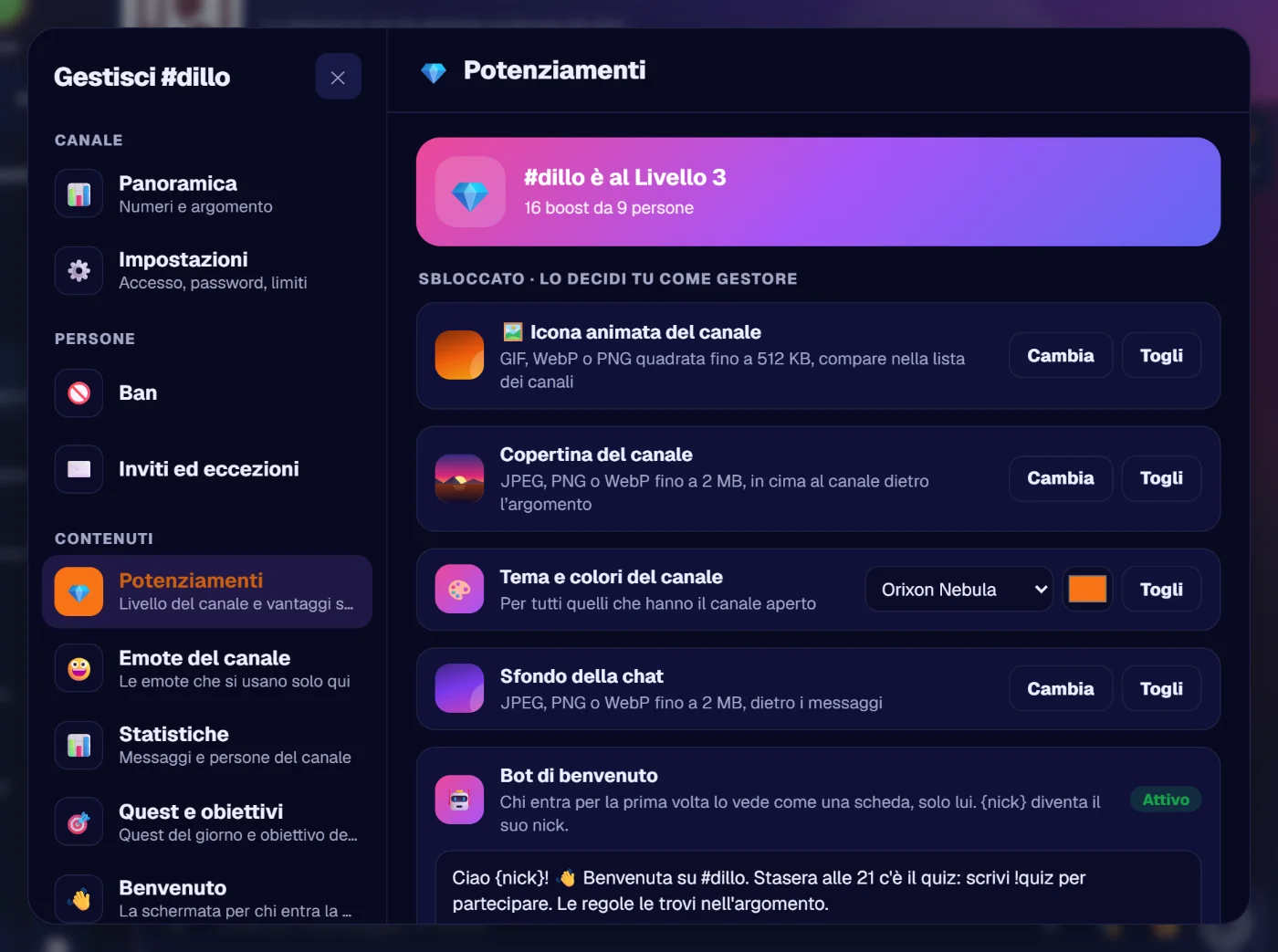
Emotes that only exist there
Up to 100 channel emotes, animated ones too. You type them with colons, like all the others, and they become the language of the people who hang out there.
- 15 at Level 1, 50 at Level 2, 100 at Level 3.
- As a channel manager, you upload them yourself from the “Channel emotes” tab.
Channel stats
Messages, new and returning people, who writes the most. At Level 3.
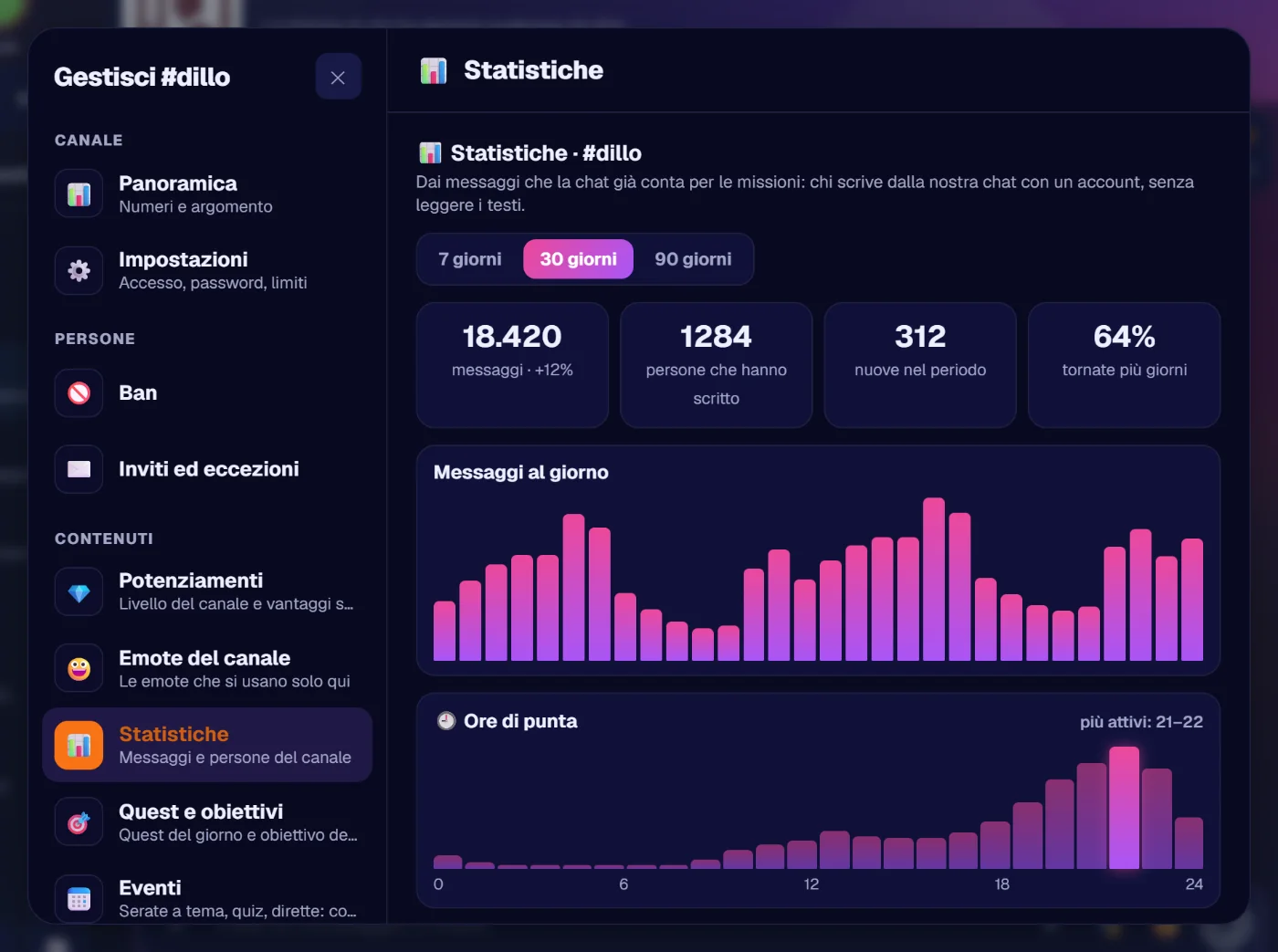
Peak hours
When the channel is liveliest: the right time for an event or a quiz.
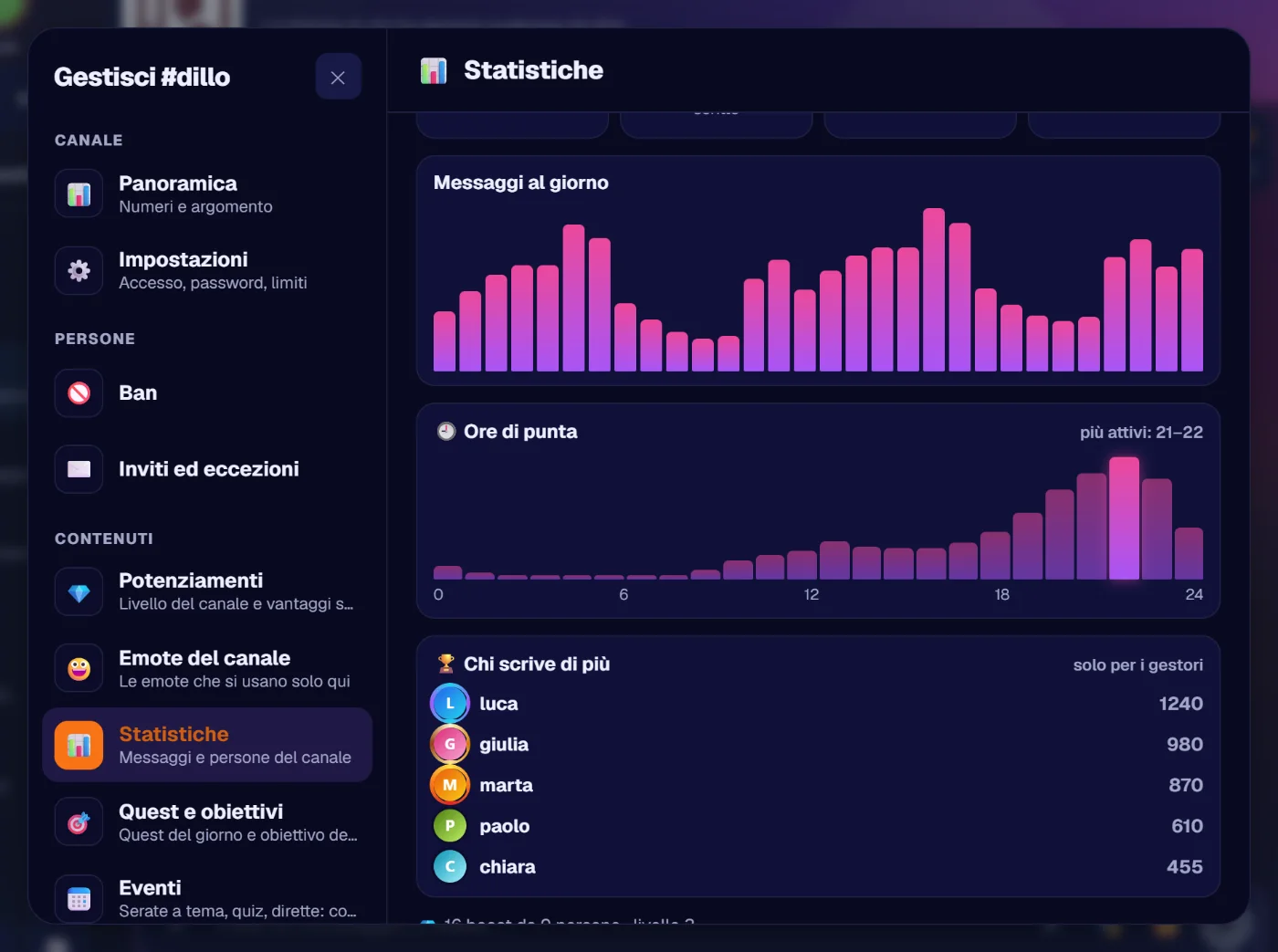
A short address and a showcase
At Level 3 the channel gets an address like chat.orixon.org/c/dillo and a public page to share on social media. In Explore and on the home page, the diamond makes it stand out.
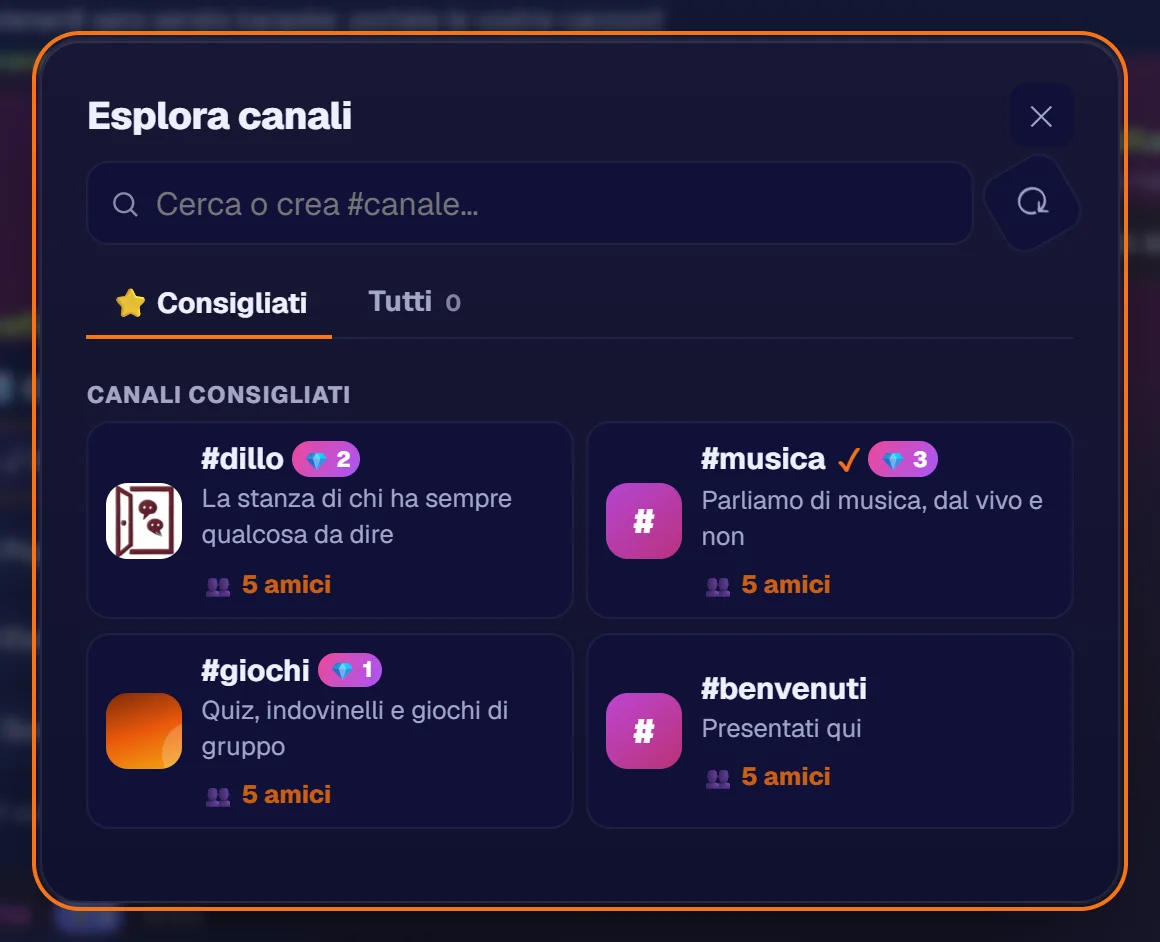
Welcome bot
First-time visitors see a card written by you, just for them, with their nick.
Channel quests
Up to 6 goals active at once, for everyone to complete together.
For boosters
Your thanks shows.
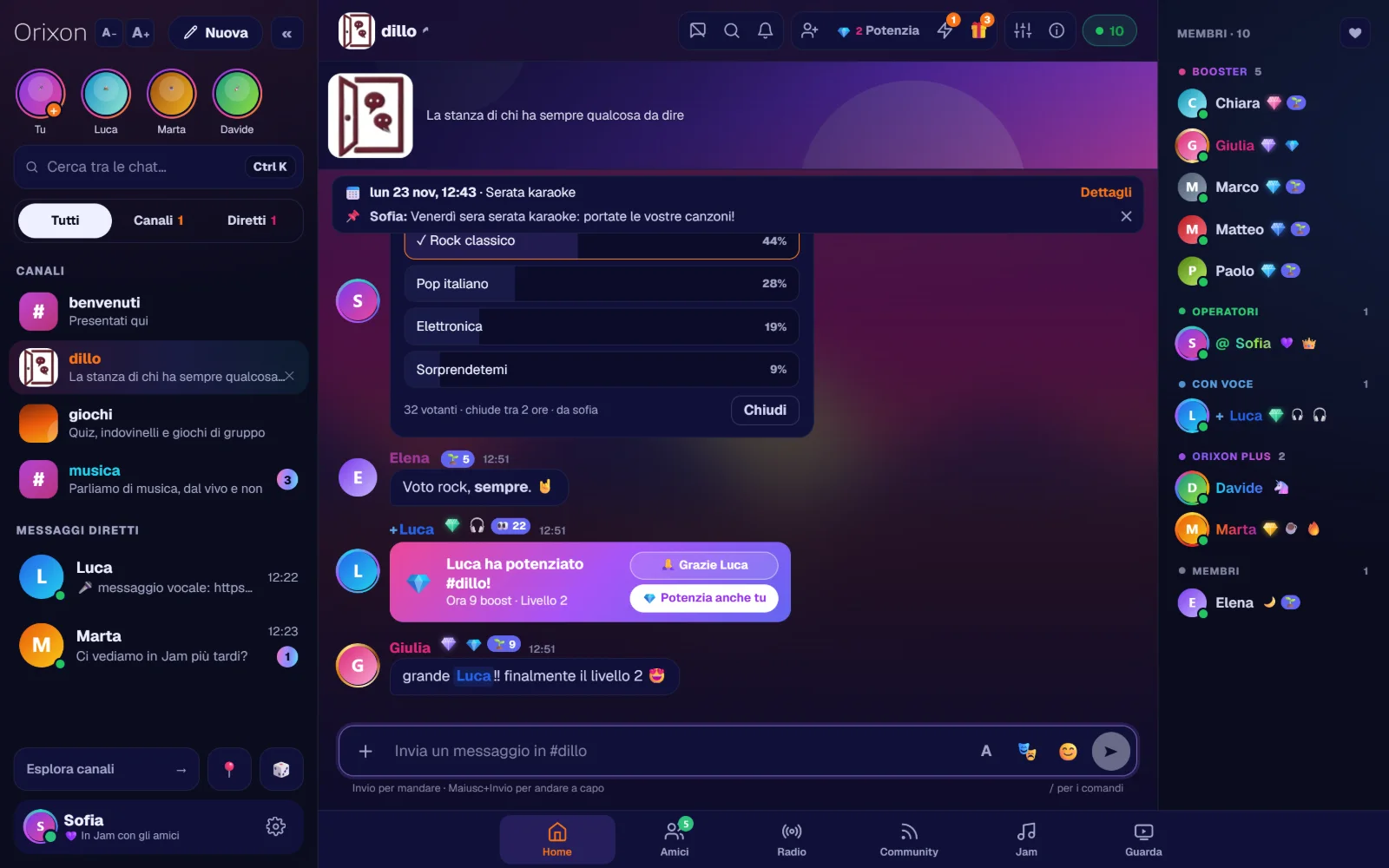
When you boost, a card with your nick goes out in the chat. Your profile shows the channels you support, and next to your nick there's a gem that changes color over time.
The announcement in the chat
“Luca boosted #dillo!”: the card reaches everyone, with the total boosts and the level. Whoever sees it can celebrate, or help reach the next one.
- Share the goal: “#dillo is 6 boosts away from Level 3: help us unlock it”.
- The Booster role in the list of people in the channel.
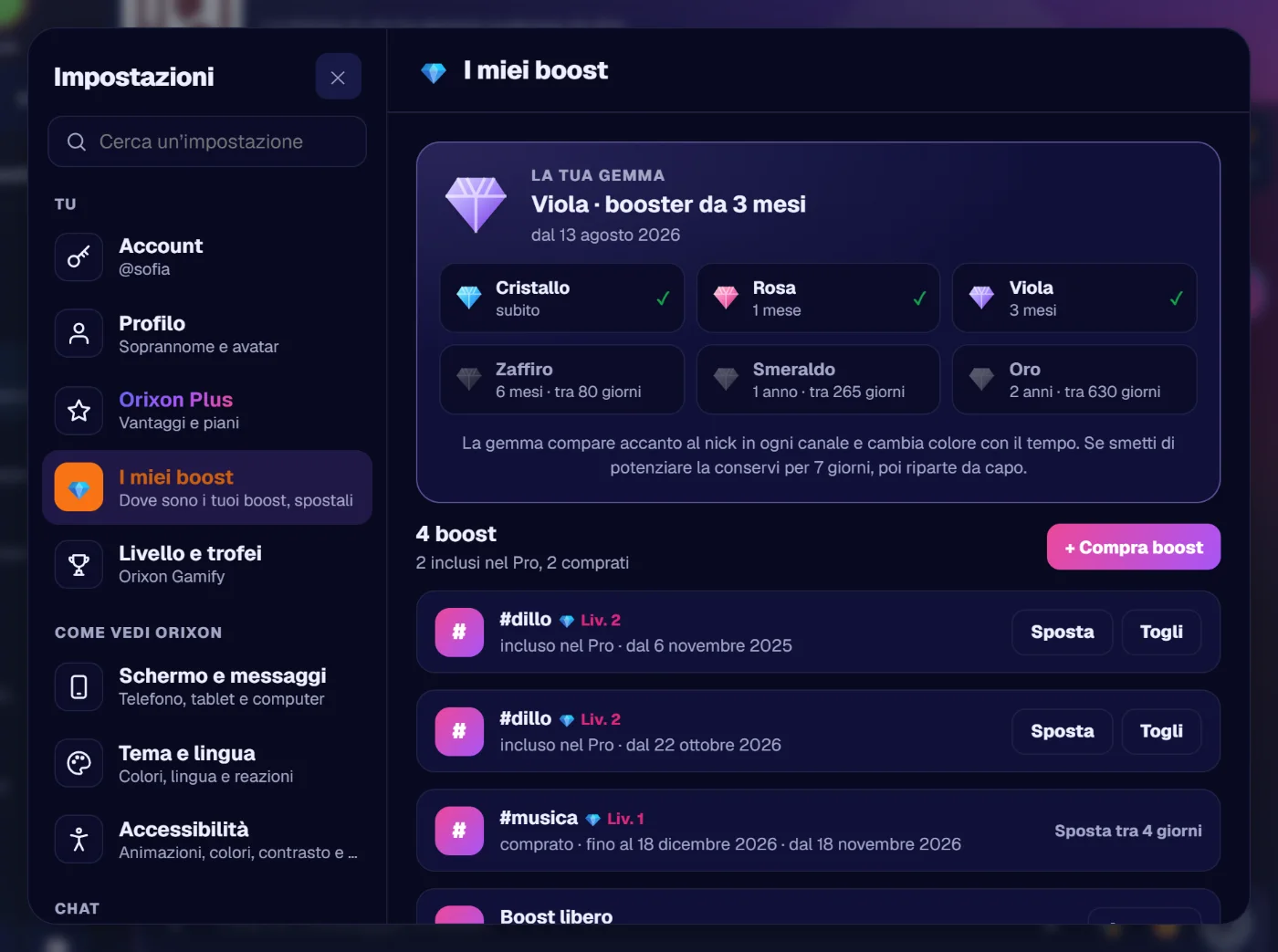
The gem appears next to your nick in every channel. If you stop boosting you keep it for a few more days, then it starts again from Crystal.
Your boosts, under control
In “Settings → My boosts” you see where they are, since when, and move them where they're needed.
- Each boost can be moved once every 7 days.
- If the channel drops below the threshold, the level stays for 7 days.
- If Plus expires, the included boosts stay with the channel for another 7 days.
- No powers: the perks are decided by the channel managers, not by boosters.
Pricing
Included in Plus.
An extra one costs about a coffee.
With Orixon Plus, the boosts are already yours: 1 with Starter, 2 with Pro. Assign them from the chat, whenever you like.
Discover Orixon Plus1 boosts
0,99 €a month3 boosts
2,49 €a month, save 16%1 boosts for a year
9,99 €a year, almost 2 months freePrices include VAT. Purchased boosts arrive in the chat right away, ready to assign.
Frequently asked questions
About Orixon Boost
What is Orixon Boost?
It's the way to support the channels you love. Orixon Plus members give their boosts to a channel: the more boosts it gets, the higher its level and the more perks it unlocks for everyone who hangs out there, like emotes, a theme, a background, stats and a public page.
How do I get boosts?
They're included in Orixon Plus: 1 with Starter and 2 with Pro. If you want more you can buy them: 1 boost costs €0,99 a month, 3 boosts €2,49 a month and 1 boosts for a year €9,99.
How many boosts does each level need?
Right now it takes 3 boosts for Level 1, 8 for Level 2 and 15 for Level 3. Boosts from everyone supporting the channel count.
Does boosting give me powers in the channel?
No. A boost is a gift to the channel: the perks are turned on and set up by the channel managers, never by the person boosting.
Can I move a boost to another channel?
Yes, from Settings → My boosts. Each boost can be moved once every 7 days, and removing it also counts as a move.
What happens if the channel drops below the threshold?
The level stays for another 7 days, so there's time to catch up. Even if Orixon Plus expires, the included boosts stay with the channel for 7 days.
What's the gem next to my nick?
It's the mark of a booster. It appears next to your nick in every channel and changes color over time: Crystal, Pink, Purple, Sapphire, Emerald and finally Gold after two years.
Do I need an account?
Yes: to boost you need an Orixon account registered at least a few days ago. To hang out in a boosted channel, though, just join the chat.