


How it works
Paste, invite, watch.
- StartTap “Watch” in the chat bar. Create a private Watch Party, or start one in a channel you manage.
- Paste a linkA YouTube link is all it takes. Other videos go in the queue: when one ends, the next one starts.
- Watch togetherPlay, pause and skips apply to everyone. Write in the chat and send reactions on screen.
Two ways
With friends, or with the whole channel.
Only the people you invite
A room all to yourselves: invite friends by their nick, the invite arrives in the chat and one tap gets them in. Perfect for movie night.
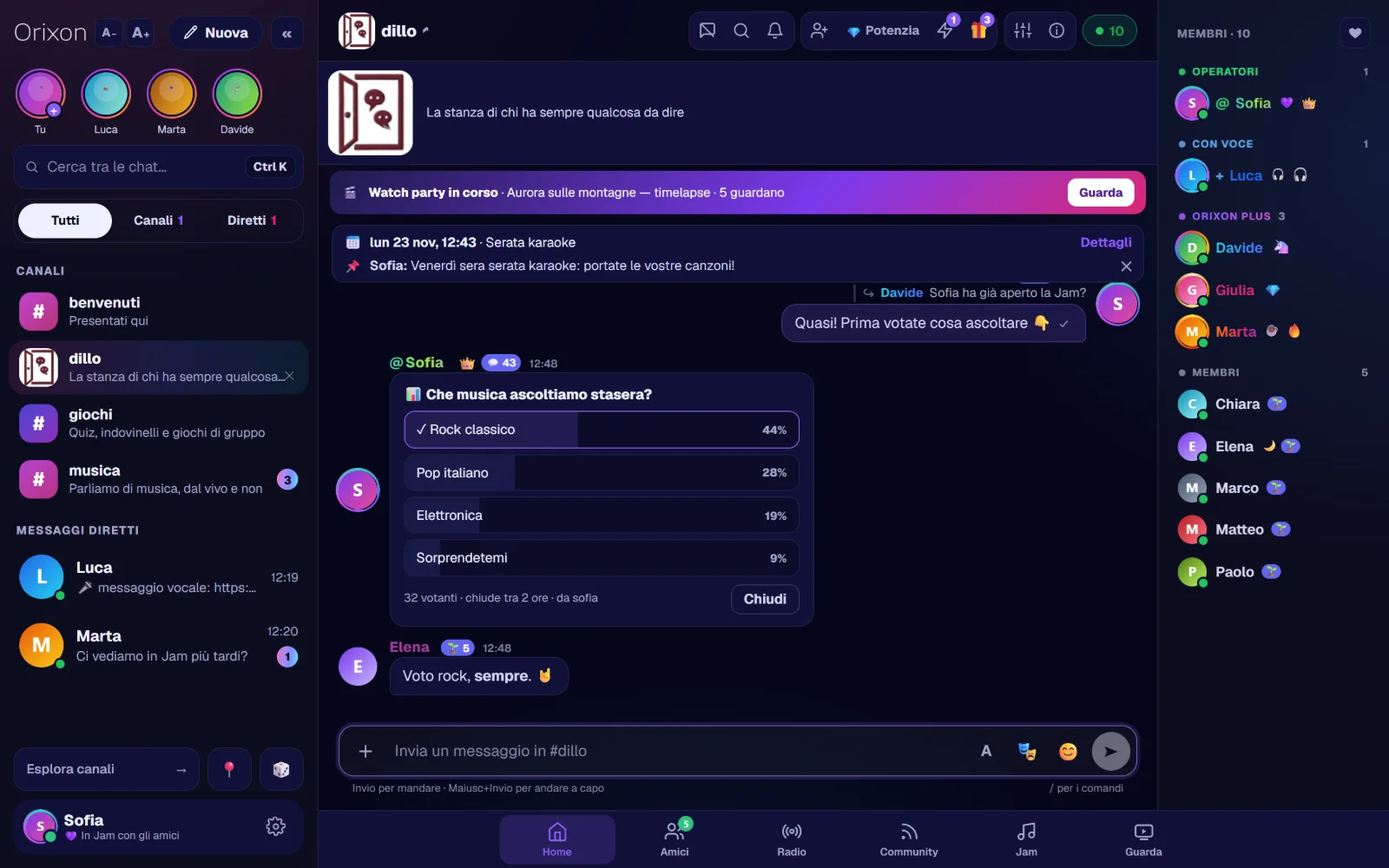
For everyone who's there
Whoever manages a channel starts the Watch Party there. A “Watch Party in progress” notice appears at the top of the channel and anyone can jump in to watch with one tap.
Try it
Reactions fly across the screen.
During the Watch Party everyone sees everyone's reactions, over the video. Tap an emoji.
Inside the Watch Party
Just like the movies.
But you can talk.
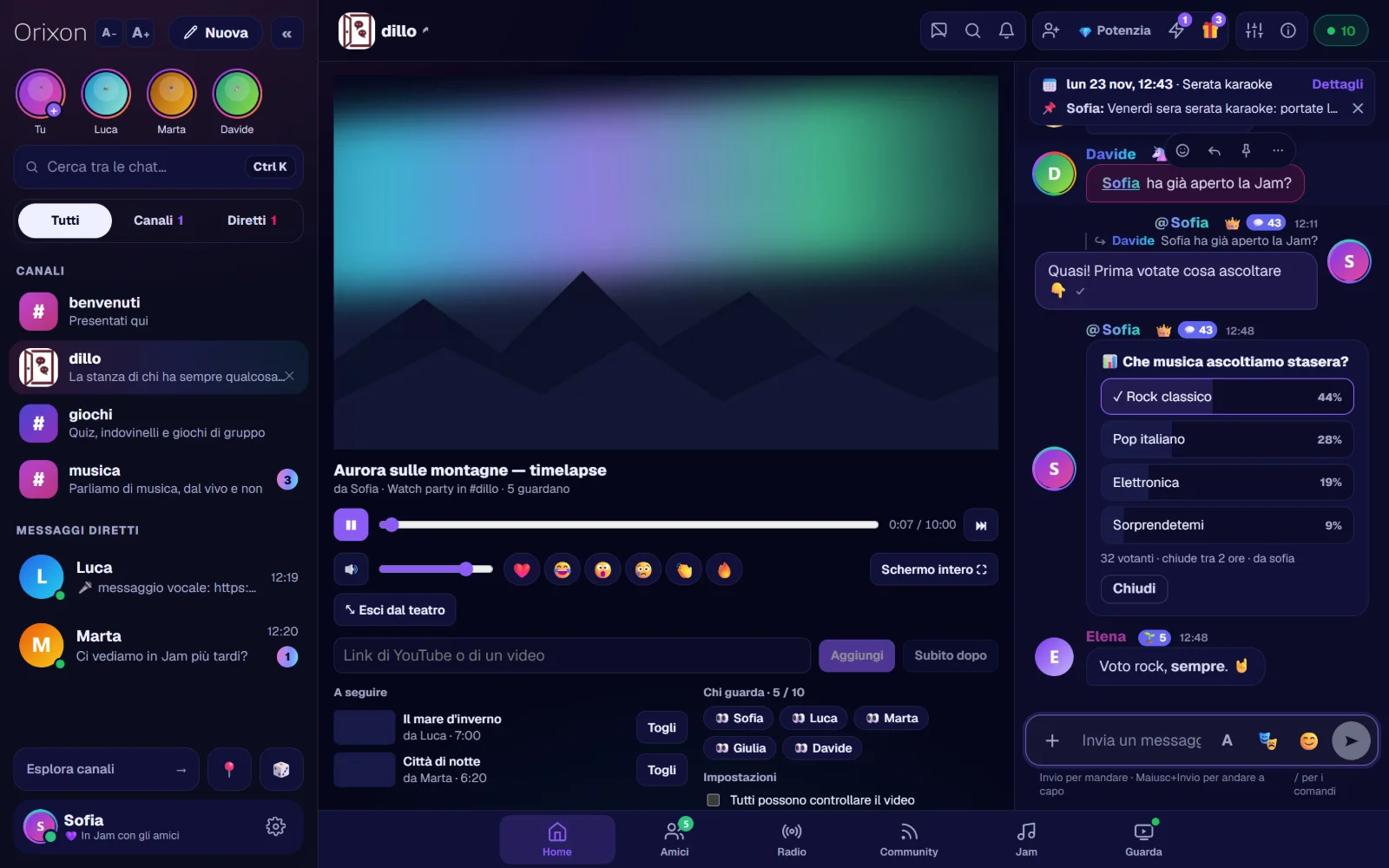
Theater mode
The video takes up the whole main column and the channel chat scrolls alongside, like in a livestream. Go full screen if you want the lights down.
- Always in sync: anyone who falls behind is brought back to the right spot automatically.
- Mini player: if you switch channels, the video follows you in a corner.
- Who's watching: see who's with you, at any moment.
Video queue
Everyone adds their own. “Play next” puts a video at the top.
Vote to skip
Not feeling a video? When there are enough votes, it moves on to the next one.
You decide who's in charge
The remote for everyone, or the queue just for the managers.
Same on your phone
The video stays at the top and the chat scrolls below. “Watch” is in the bottom bar, next to Jam and Radio. Nothing to install.
Prefer music?
With Jam you listen to tracks together, with a shared queue.
Frequently asked questions
About Watch Party
What is a Watch Party on Orixon?
It's a way to watch the same video, at the same moment, together with other people, right in the Orixon chat. The video and the conversation sit side by side, like in a livestream.
Which videos can you watch?
YouTube videos: just paste the link. You can't watch private videos, age-restricted ones, or ones whose uploader doesn't allow them to be played outside YouTube.
Can I watch a video with just my friends?
Yes: a private Watch Party is a channel only the people you invite can join. Alternatively, whoever manages a channel can start one there, for everyone who's in it.
Who controls the video?
Whoever runs the Watch Party decides: they can let everyone play, pause and skip ahead, or keep the queue to themselves. Anyone can vote to skip a video.
Do we really stay in sync?
Yes. Everyone follows the same clock: if someone falls behind, the video brings them back to the right spot by itself, no need for anyone to count to three.
Does it work on a phone too?
Yes. On a phone the video stays at the top and the chat scrolls below. From the bottom bar you reach “Watch” with one tap.
Do I need an account?
To start a Watch Party you need a registered nick. To join one you're invited to, or your channel's, a nick is all you need.