


How it works
Three taps, and you're on.
- Make the roomIn the chat bar, tap “Jam”, then “Start a Jam”. It's private: only the people you invite get in.
- InviteType the nick of a friend or someone in a channel with you. The invite reaches them in the chat: one tap and they're in.
- Queue it upSearch for a track or an artist, add it to the queue or play it next. Everyone brings their own music.
Try it here
A Jam in miniature.
Vote to skip, move a track to play next, hit pause. That's how the shared queue works, just without the sound.
Up next in the chat you drag, here a tap is enough
Tracks and people are examples.
Inside the Jam
Everything you need
for a night together.
A queue that belongs to everyone
Everyone adds their own tracks, and you reorder the queue by dragging. Whoever started the Jam can remove anything that doesn't fit.
- Search for a track or an artist, or pick from your Liked songs and your Playlists.
- Play next: put it at the top of the queue.
- Vote to skip: if too many people don't like it, on to the next one.
- Pick up the queue from your last Jam with one tap.
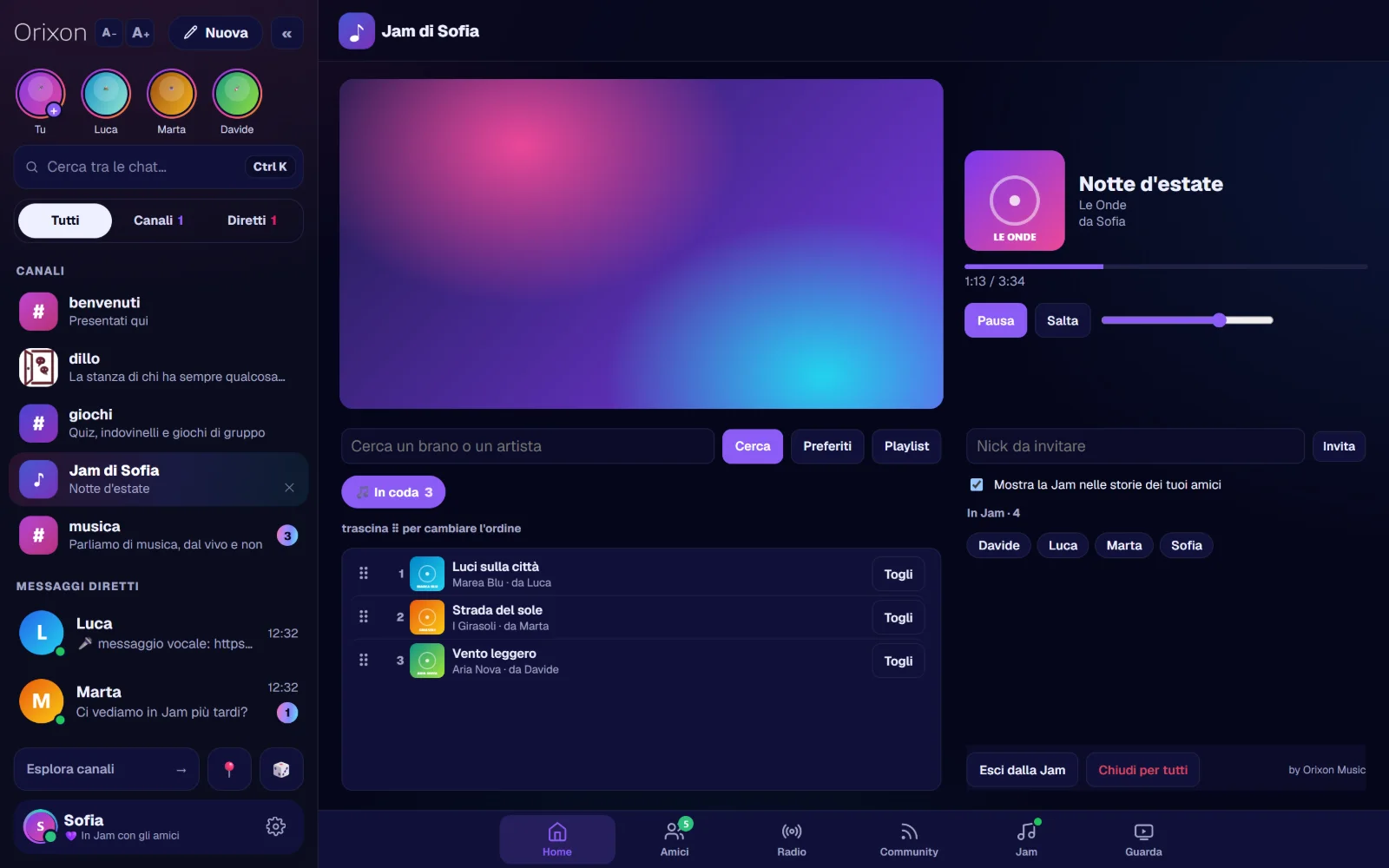
The chat beside it
Talk about the track while you listen, as if you were on the couch together.
The music never stops
Go back to chatting in other channels and the Jam keeps going. Come back whenever you want.
In stories
If you like, the Jam shows up in your friends' stories: they can ask to join.
Friends see where you are
In the Friends panel you show up as “in a Jam”, and the home screen shows how many Jams are going on.
Only the people you invite
You need an Orixon account to start a Jam. Anyone invited can join with just a nick.
On your phone too
Jam has its own spot in the bottom bar. The player stays at the top, while the queue and listeners scroll below.
The complete chat guide →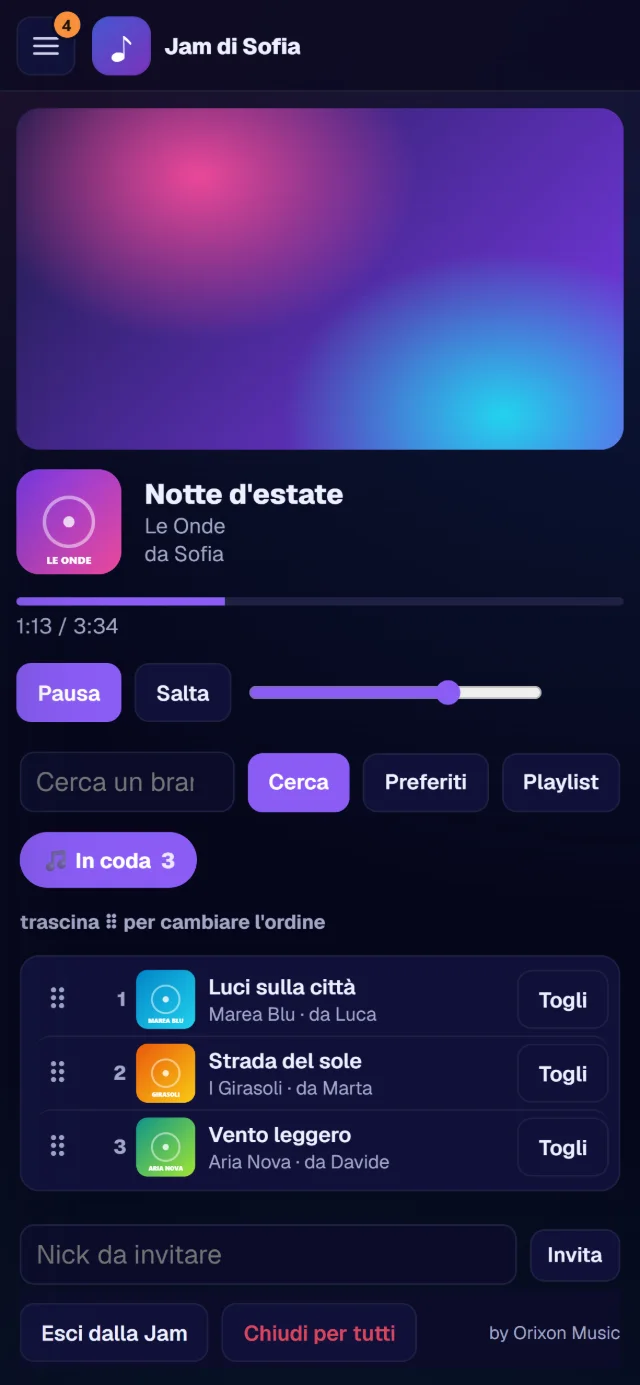
And if you just want some background music
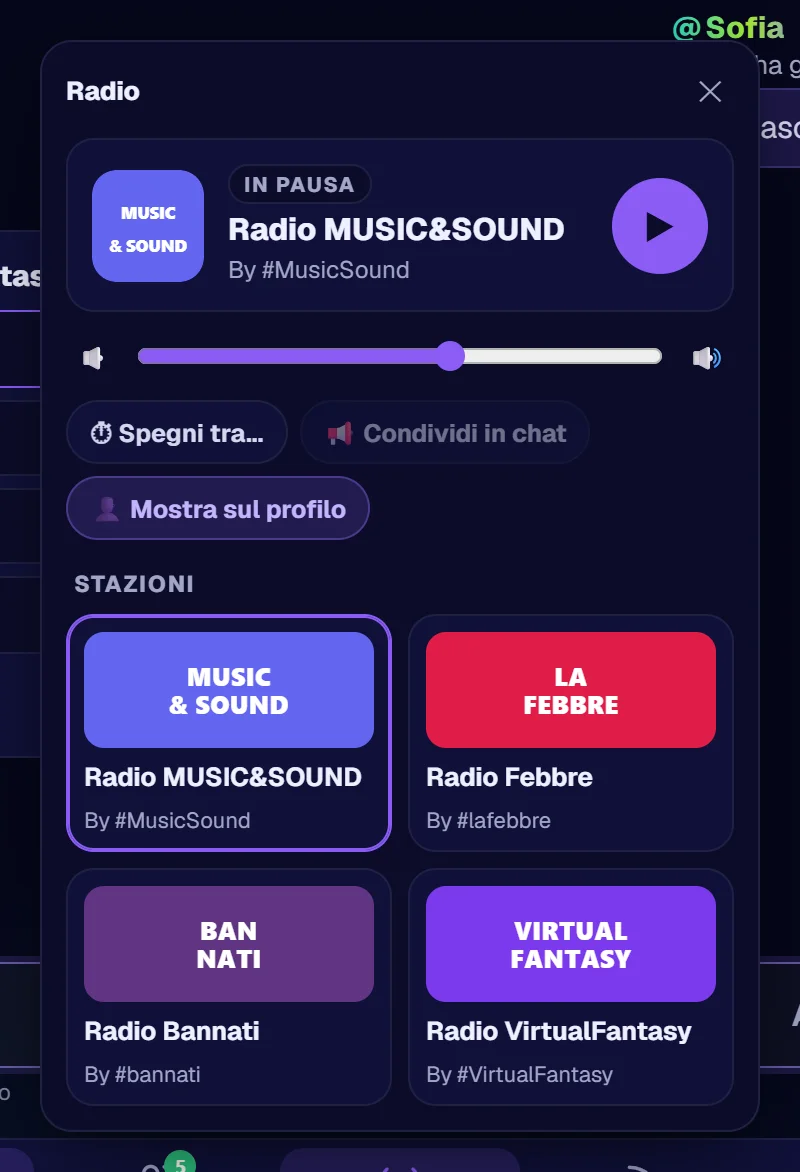
There's Radio too.
Orixon's partner radio stations in a panel that's always at hand. Pick a station and keep typing. Want to watch a video together? There's Watch Party.
Frequently asked questions
About Jam
What is a Jam on Orixon?
It's a private room inside the Orixon chat where everyone hears the same song at the same moment. There's a shared queue, everyone adds their own tracks, and the chat is right beside it.
How do I start a Jam?
Open the chat, tap “Jam” in the bar, then “Start a Jam”. You need an Orixon account to start one; to join a Jam you're invited to, your nick is enough.
Who can join my Jam?
Only the people you invite. You can invite friends or anyone in a channel with you, by typing their nick. If you like, the Jam also shows up in your friends' stories, and they can ask to join.
Can you skip a track?
Yes: listeners vote to skip and, once there are enough votes, the next track starts. Whoever started the Jam can also skip, remove and reorder tracks.
Does the music stop if I switch channels?
No. You can go back to chatting in other channels: the Jam's music keeps playing and you can come back whenever you want.
Do I need to install anything?
No. Jam works in your browser, on computer and phone, at chat.orixon.org.
How is it different from Radio?
Radio is a partner station to listen to while you chat, the same for everyone. A Jam is your own room: you pick the music, together.