


Getting started
You're in the chat in a moment
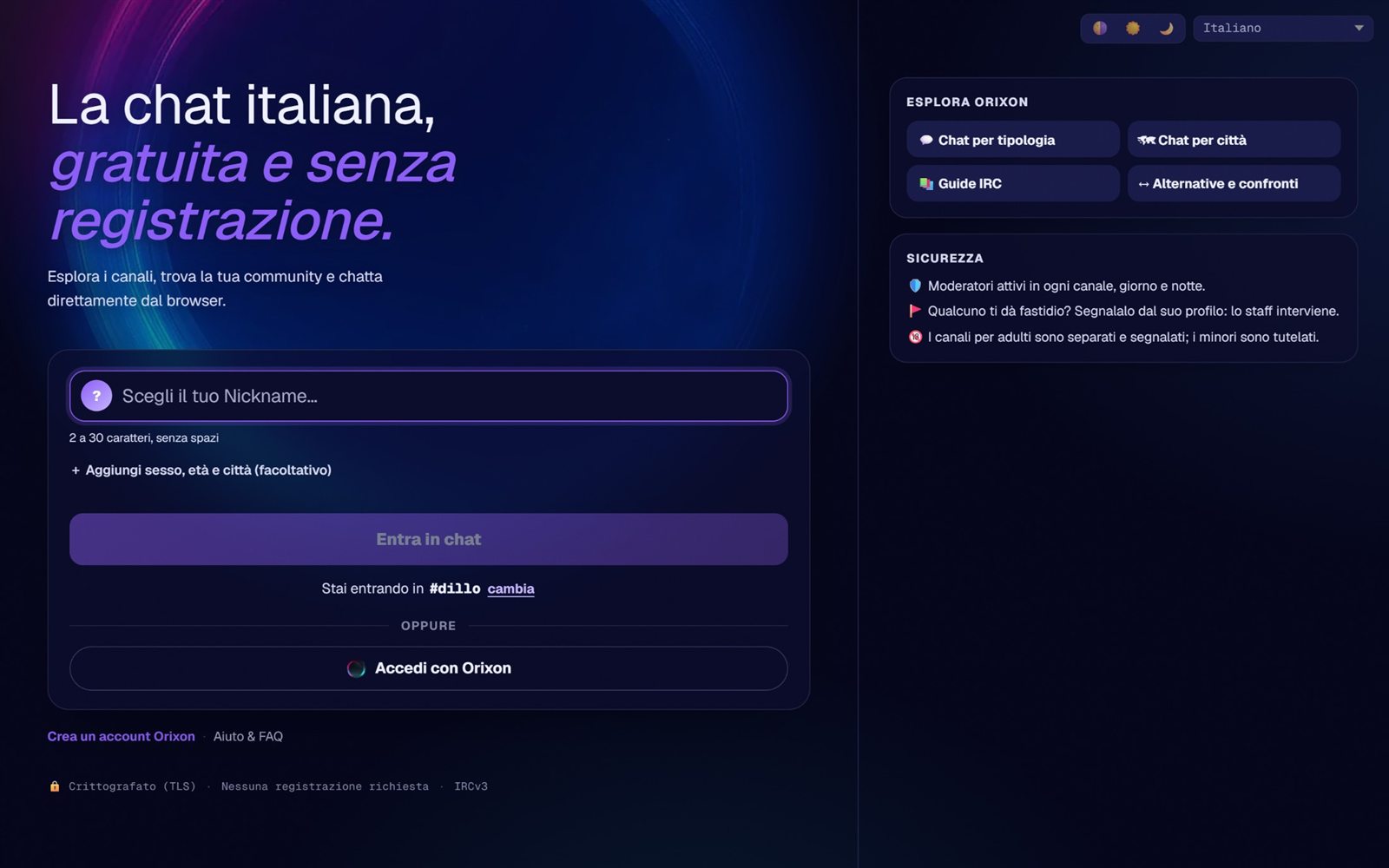
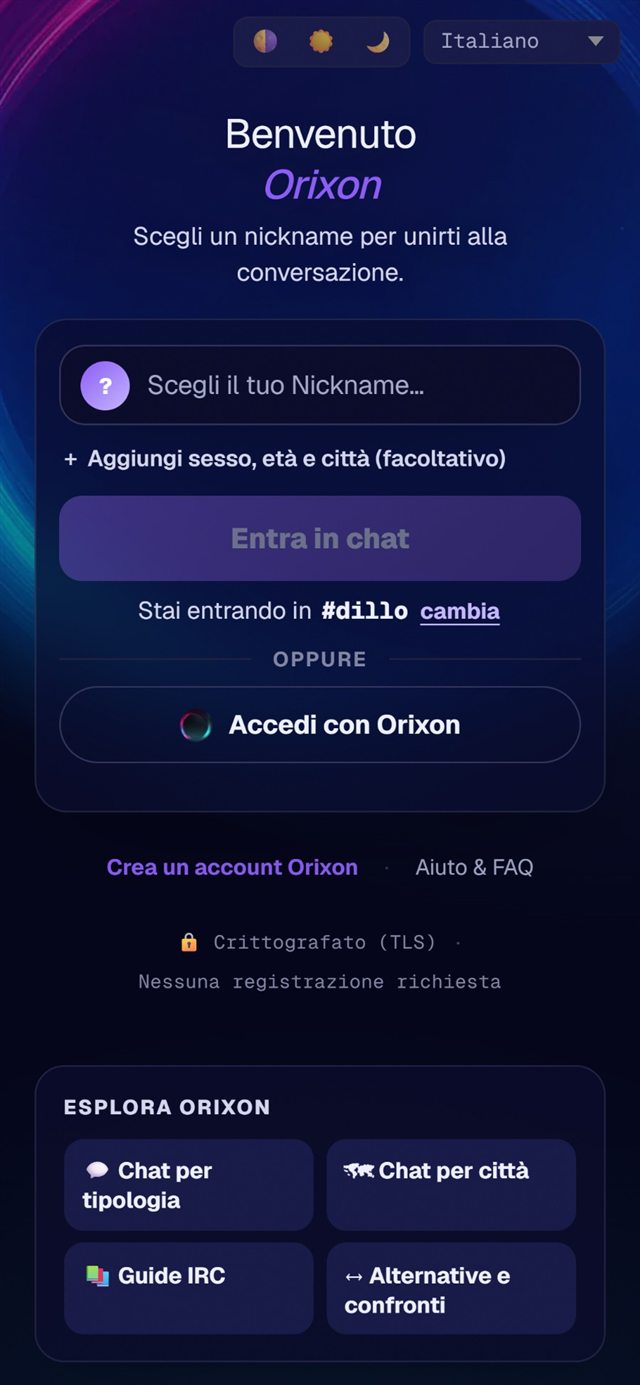
Open chat.orixon.org, pick a nickname and you're in. No sign-up, nothing to download.
- Just a nickType the name you want to go by and press “Join the chat”. If you like, add your gender, age and city.
- Sign in with OrixonWith a free Orixon account your nick is protected, your points stay yours and you get the full profile. Sign-in opens in a small window: the chat stays right where it is.
- A link for every channelAn address like chat.orixon.org/#dillo takes you straight to that channel.
First steps
A tour shows you everything
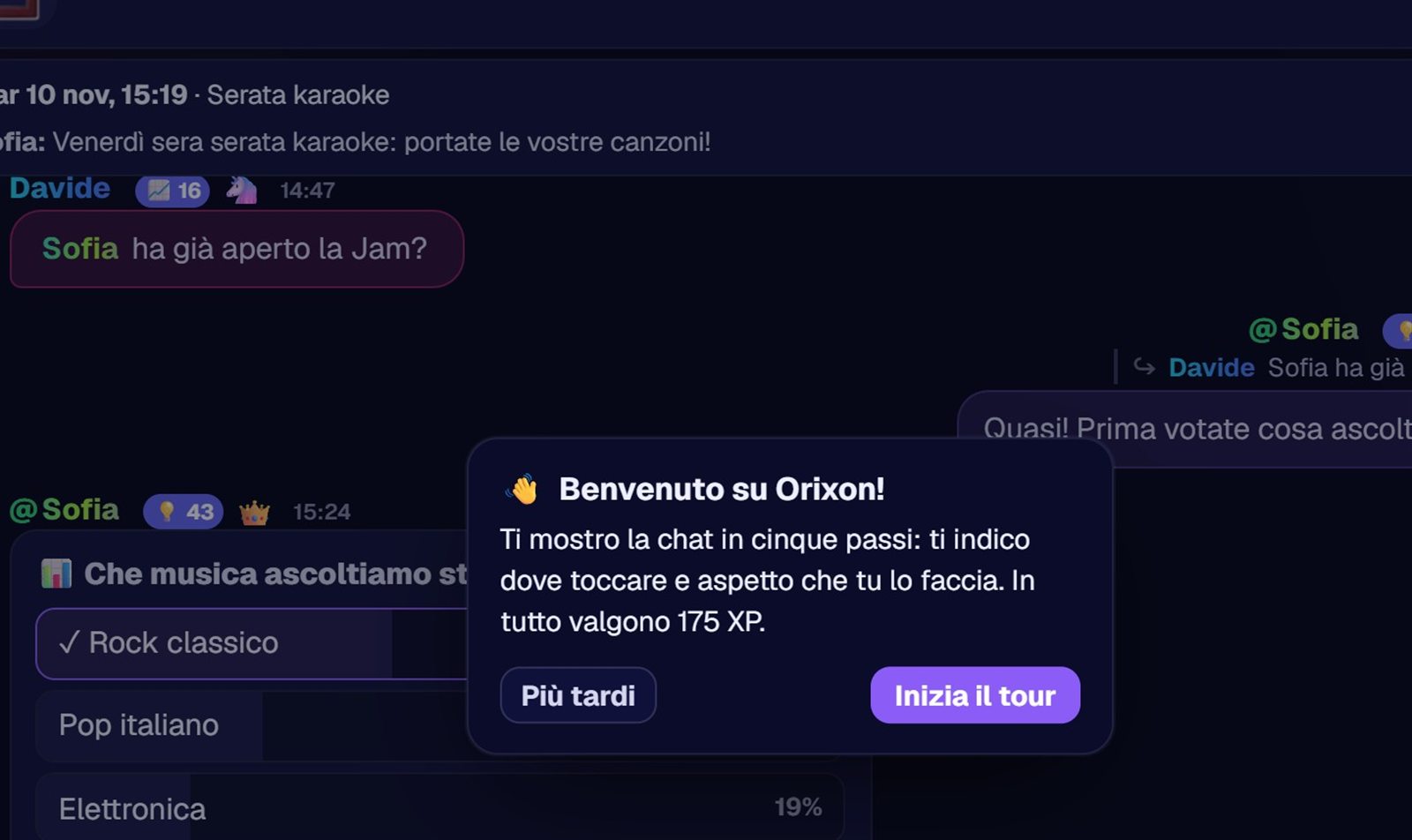
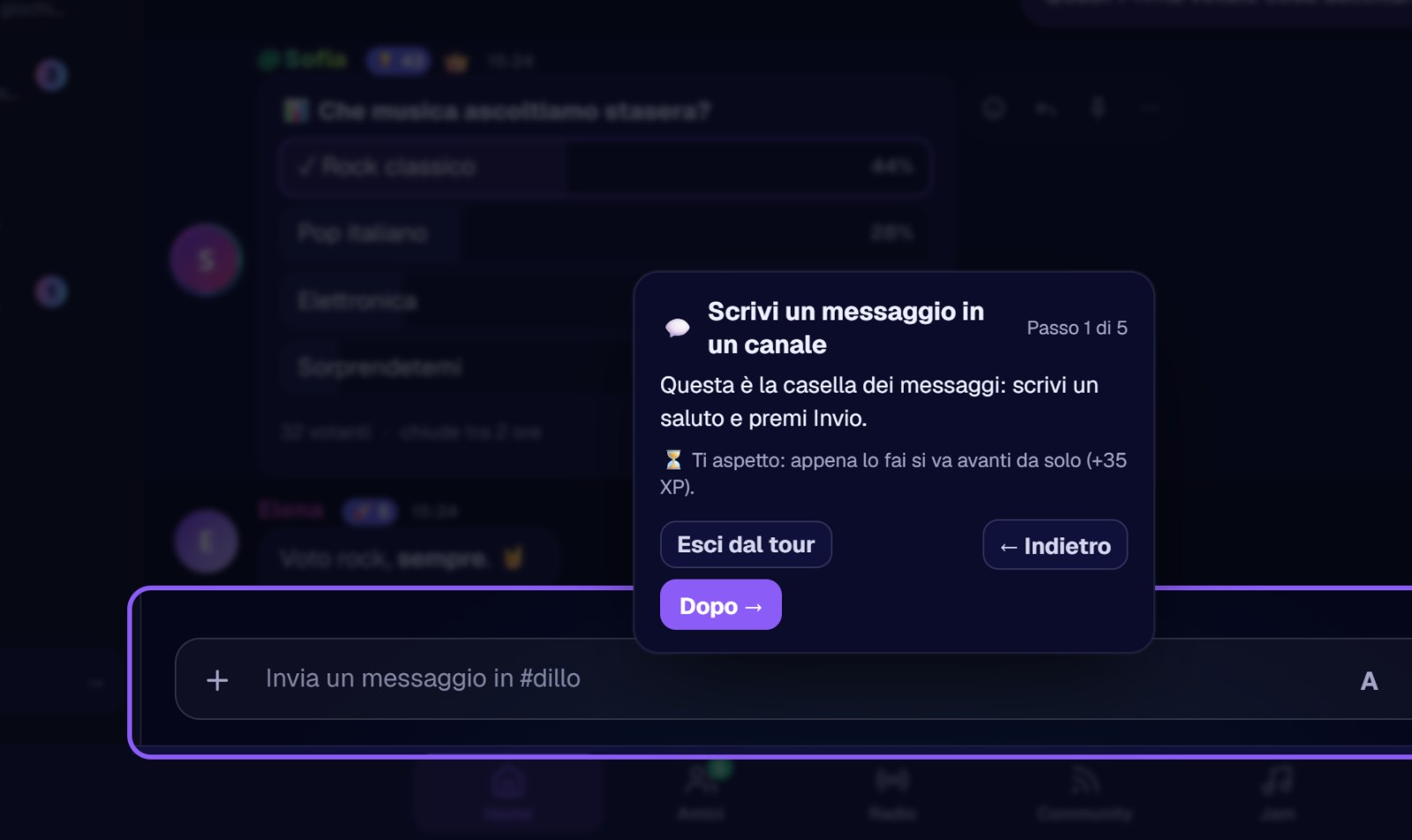
On your first visit, a short guided tour walks you through the main moves, on the chat's real controls.
- Five stepsSend a message, react, reply, use emotes, join a second channel. The tour waits for you to do it, then moves on by itself.
- 175 XP as a gift35 XP for every step and the “Tutorial completed” achievement. Guests get them too: just create an account at the end to keep them.
- Whenever you wantYou'll find it again at the top of the sidebar, in the ⋮ menu, or by typing /tutorial.
Chatting
Channels: where the chatting happens
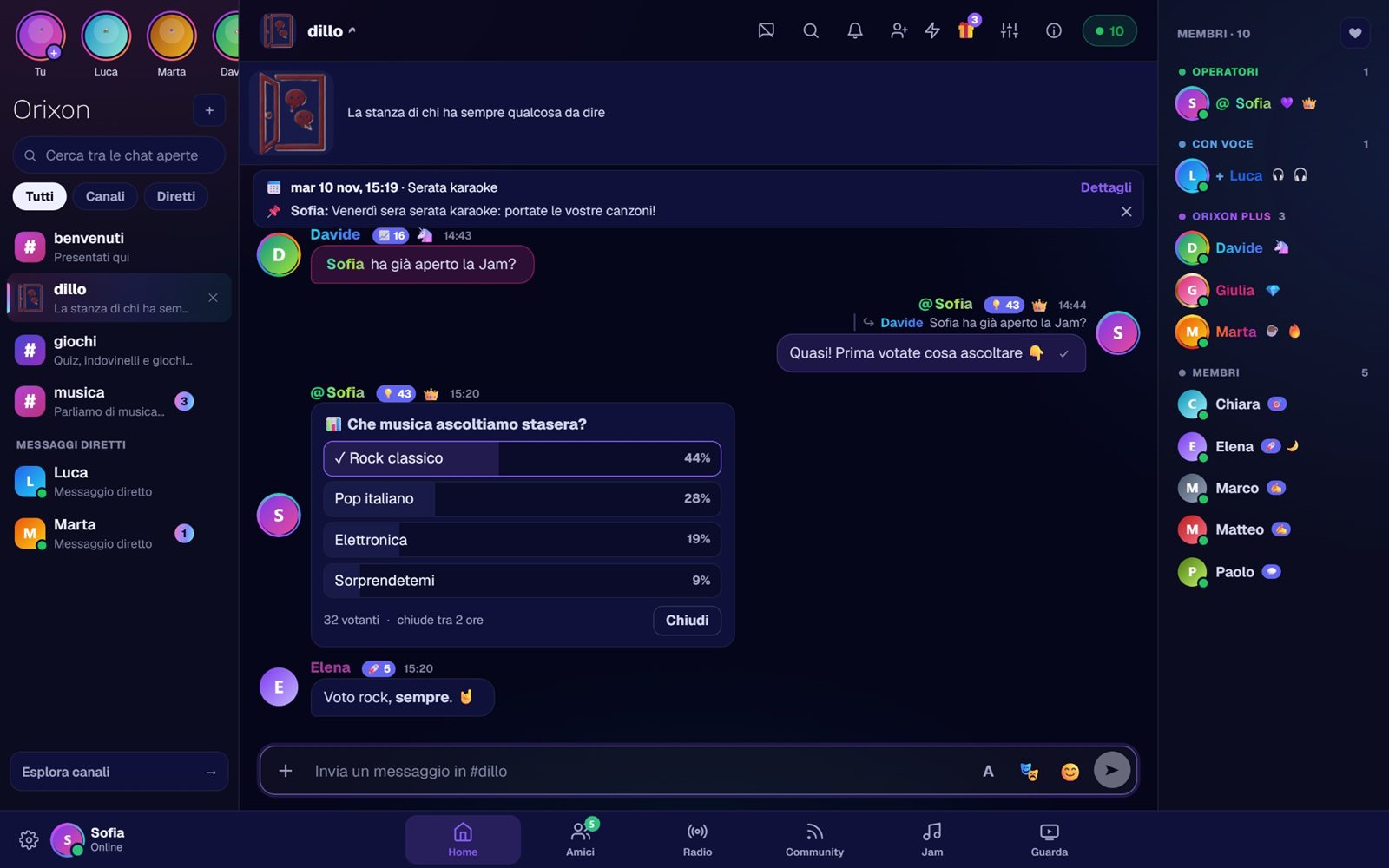
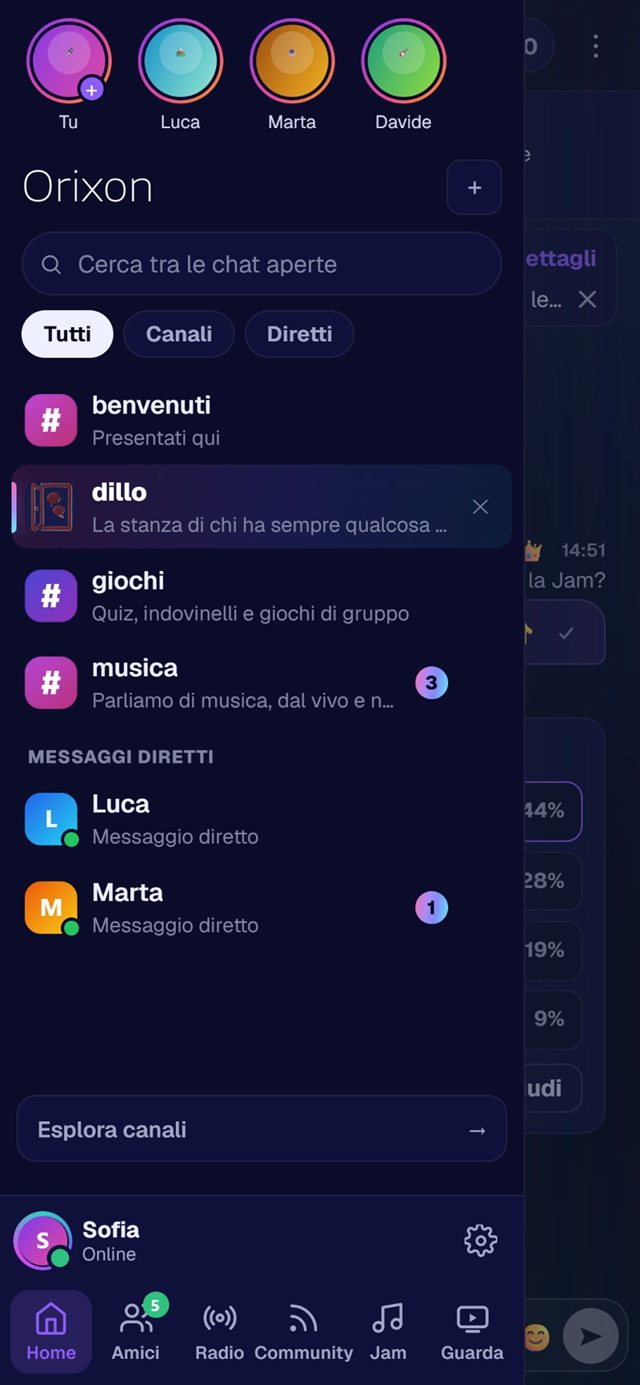
Each channel is a room about a topic. Join as many as you like and find them all in the bar on the left.
- Who's hereOn the right, the list of everyone in the channel: managers, operators, Orixon Plus and everyone else, each with their own level and badges.
- Someone mentioned you?Messages that mention you are highlighted and the channel lights up in the sidebar.
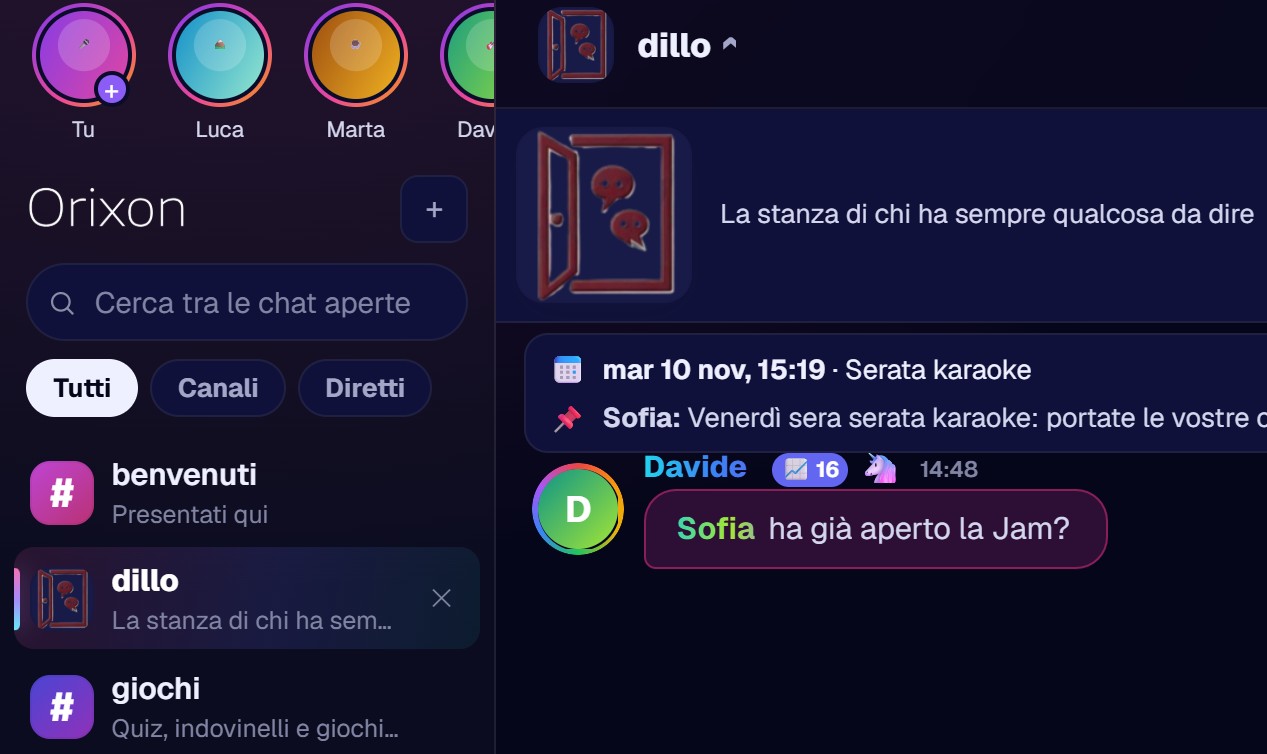
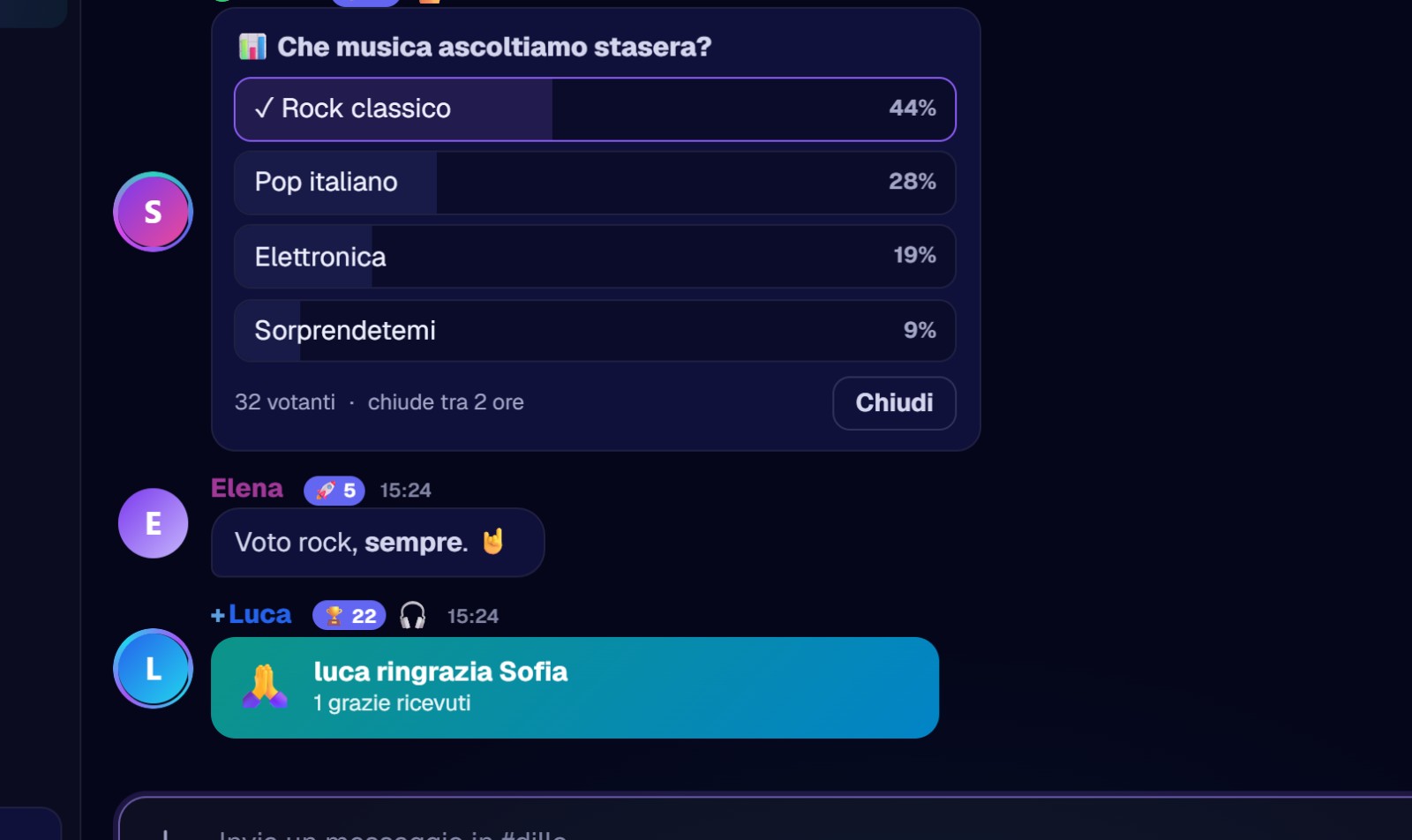
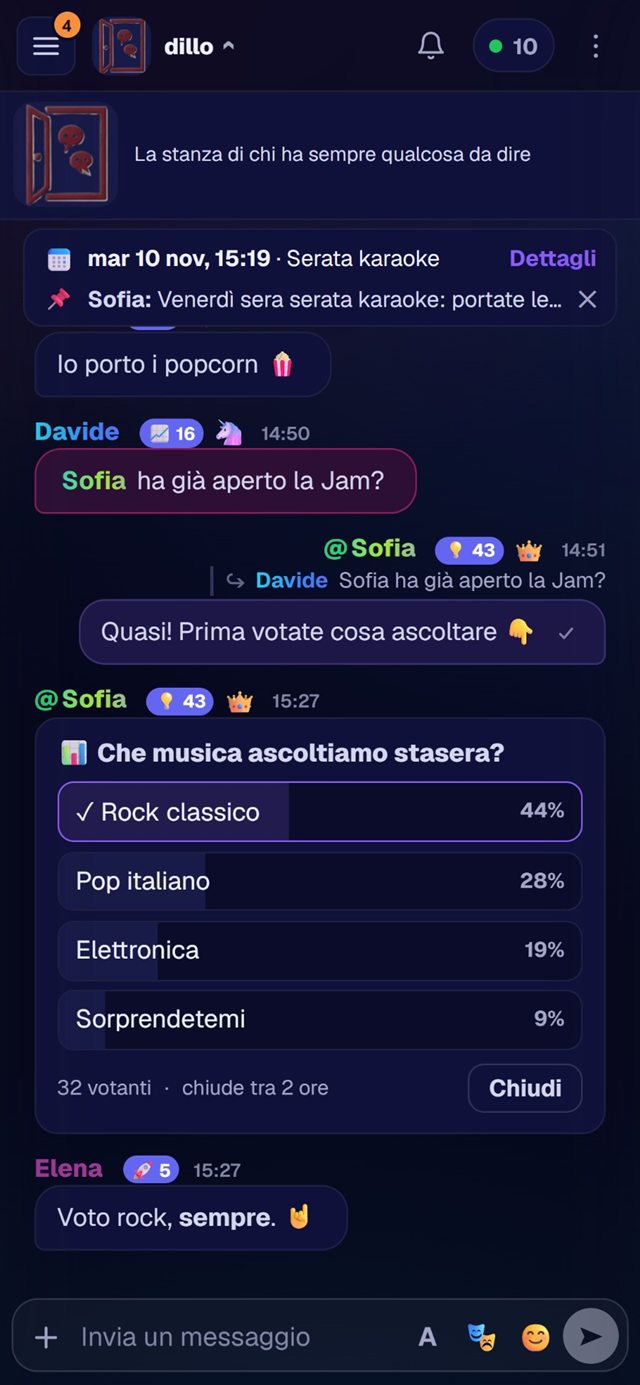
- Polls, pinned messages, eventsAt the top of the channel you'll find the upcoming event and the important messages; polls are voted on right in the chat.
Chatting
Reply, react, format
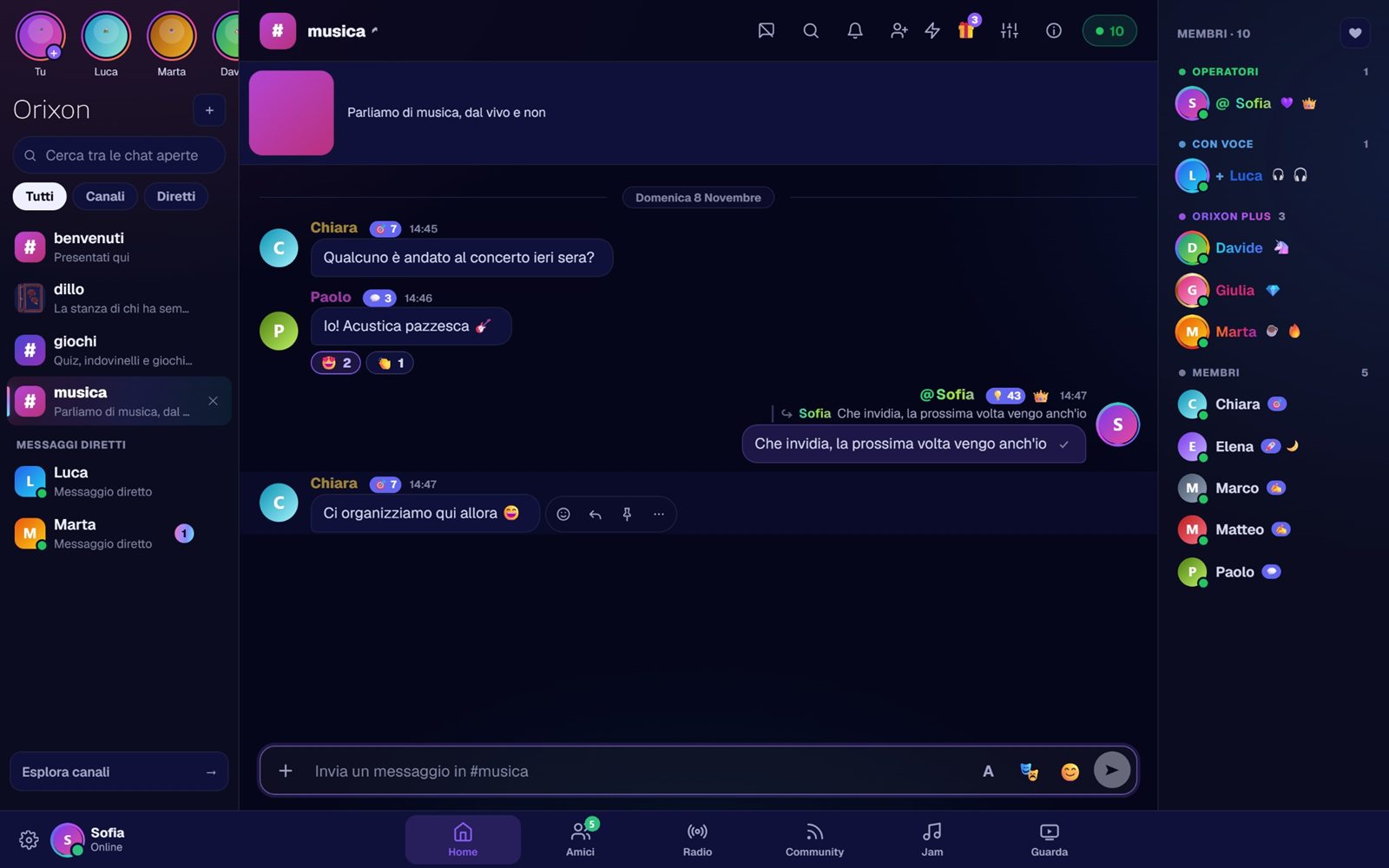
Hover over a message (on your phone, tap it) to see the actions.
- ReplyA reply shows the message it refers to: even in a busy chat, you can tell who's talking to whom.
- ReactAn emoji under the message, no typing needed. See who reacted and with what.
- Write with styleThe “A” button adds bold, italics and colors.
Chatting
Orixon emoji and emotes
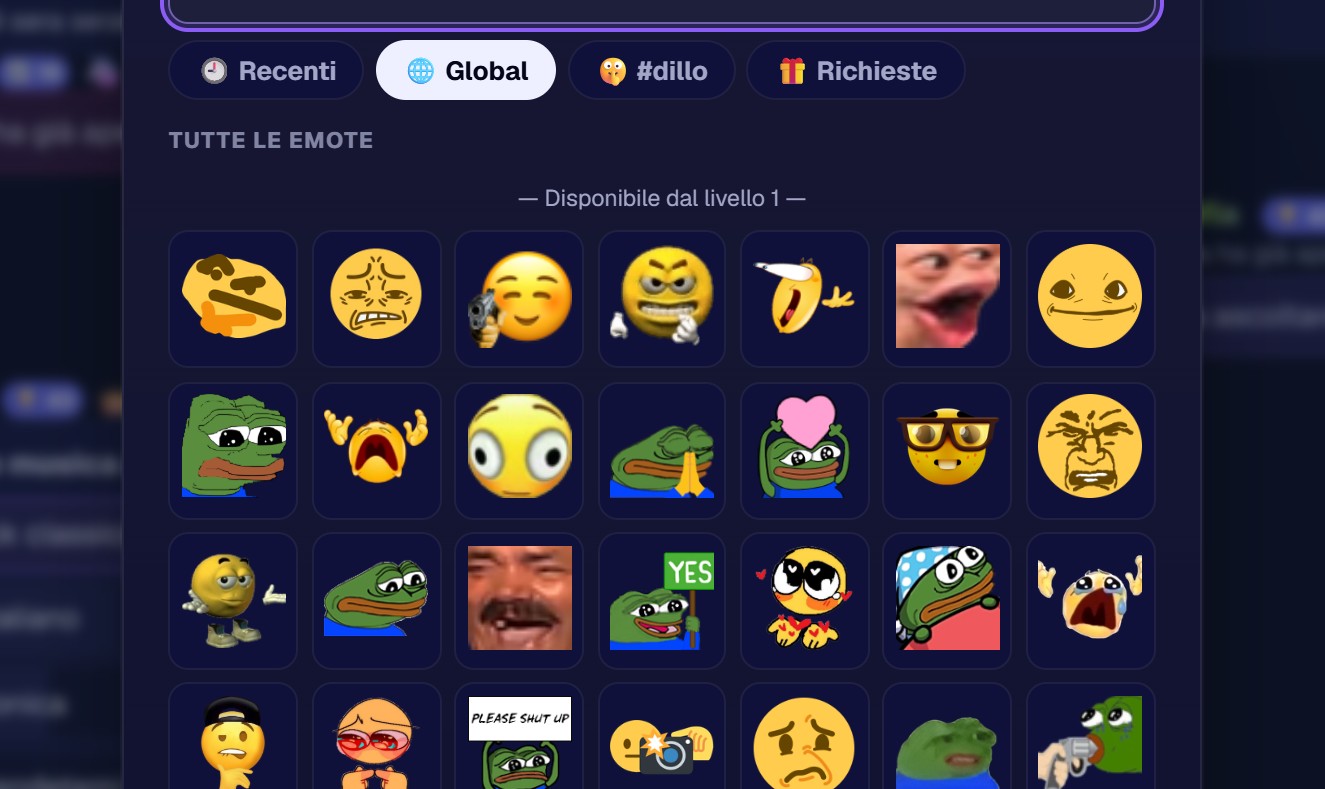
On top of the usual emoji, the community's animated emotes, all in one picker with search.
- In packsRecent, global and the ones from the channel you're in.
- To unlockSome unlock as you level up, others are for Orixon Plus, and a few come with events.
Sharing
Photos and voice messages
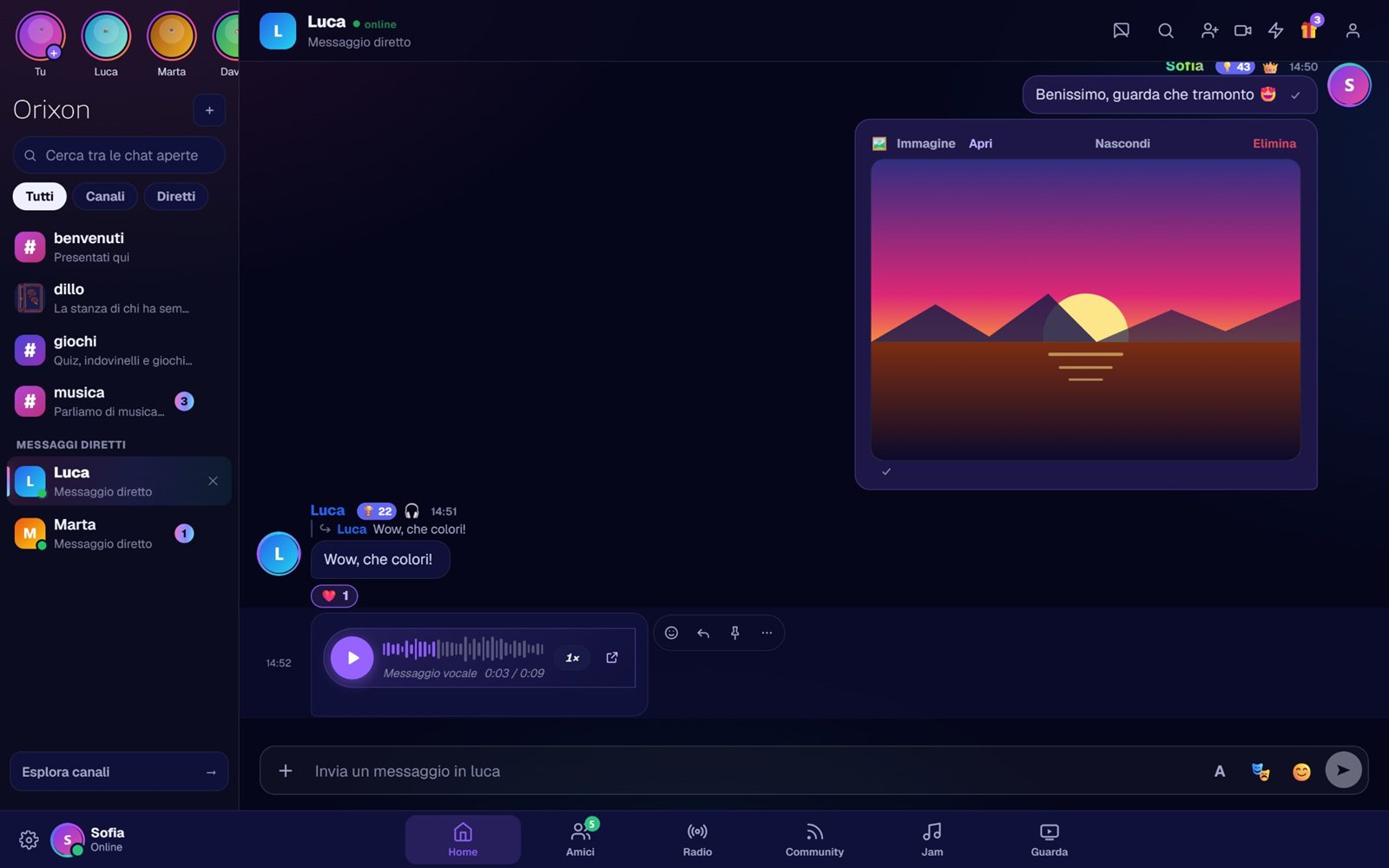
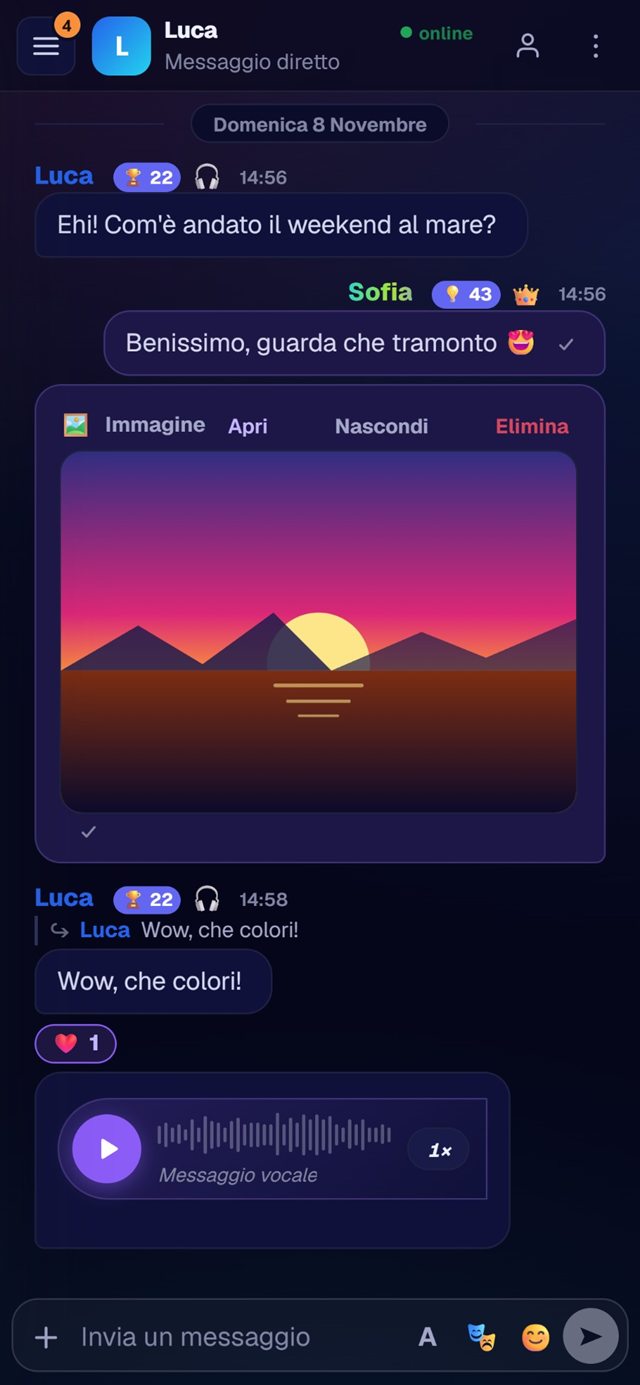
Tap “+” to send a photo; hold the microphone to record a voice message.
- PhotosPick them from your phone or computer and decide how long they stay: from one hour to thirty days. You can delete them whenever you want.
- Voice messagesFor everyone, even if you join without an account. Play them right in the chat, with a seek bar and 1×, 1,5×, 2× speed.
- SaferOther people's photos stay blurred until your device has checked them: adult ones stay covered until you choose to open them.
People
Private messages, friends and status
Tap a nick to open their profile and message them privately, or start a video call.
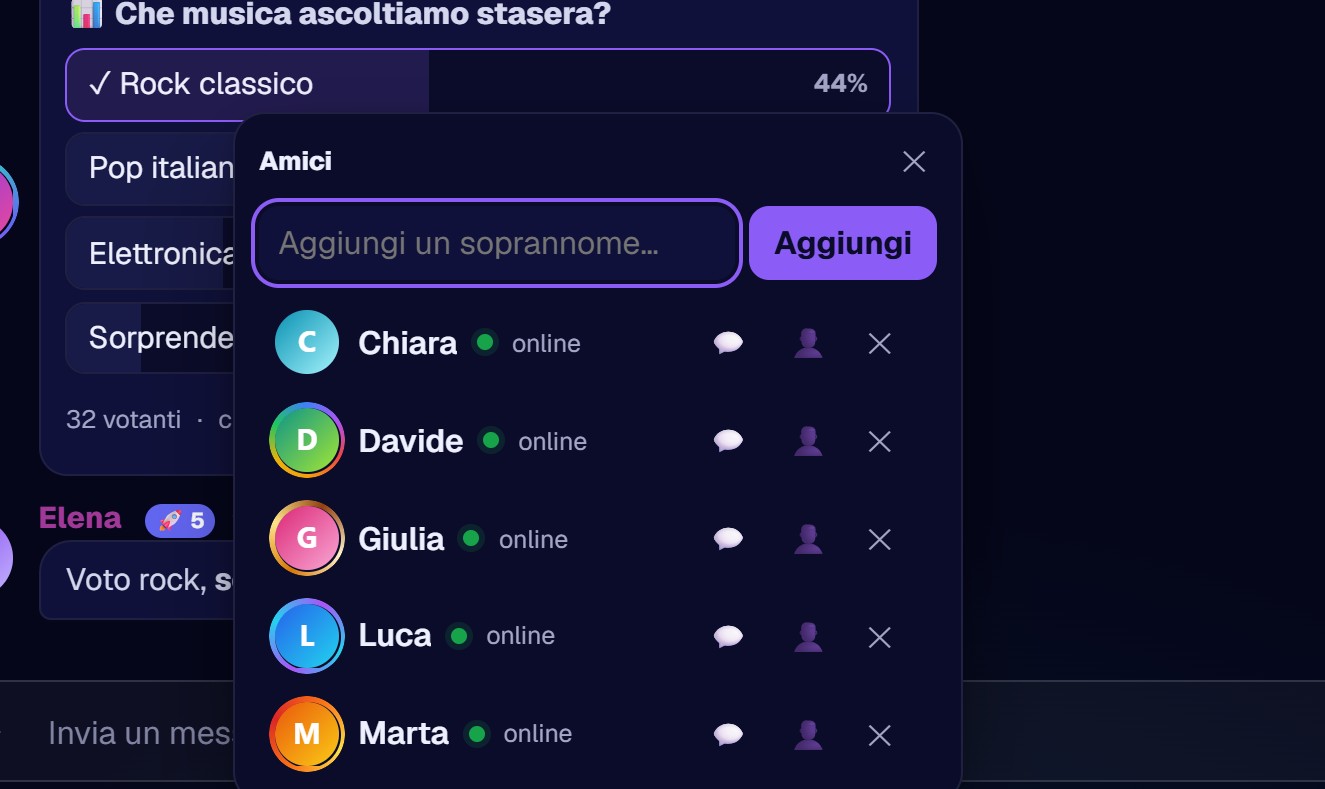
- FriendsAdd the people you want to find again: you'll see right away who's online.
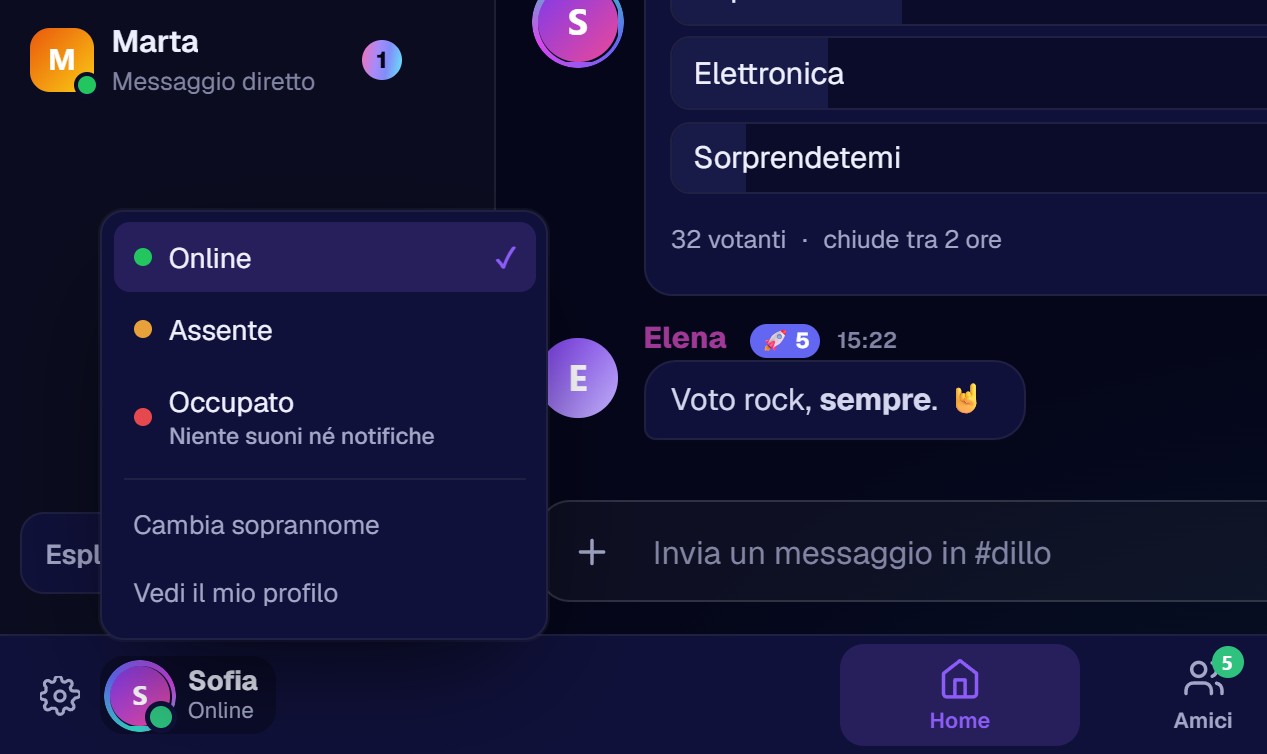
- Your statusTap your nick at the bottom to choose Online, Away or Busy. “Busy” mutes sounds and notifications, including the ones on your phone.
- Change your nick on the flyFrom the same menu, change your nick without leaving the chat.
Finding your way
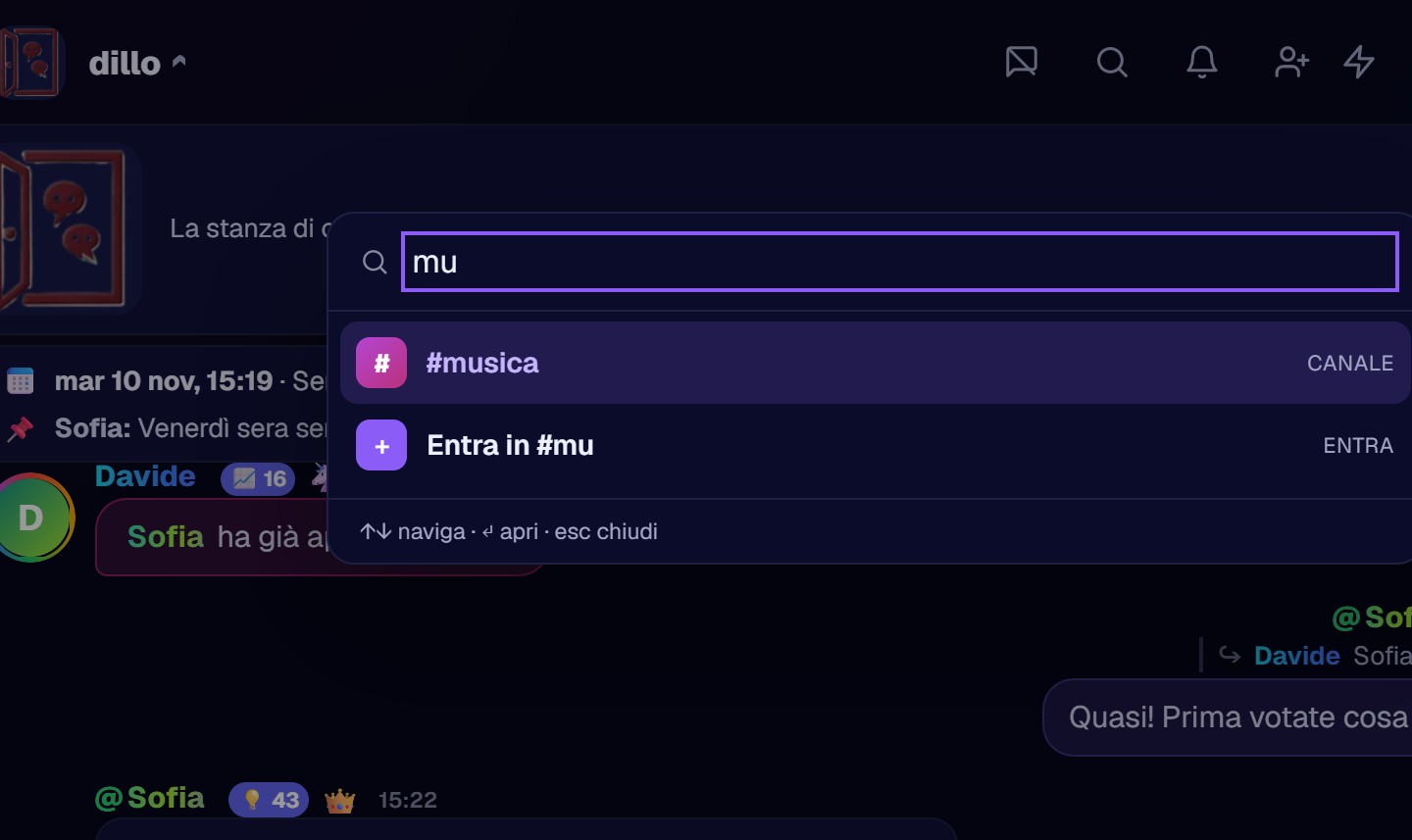
Find chats, channels and commands
Three ways to get where you want.
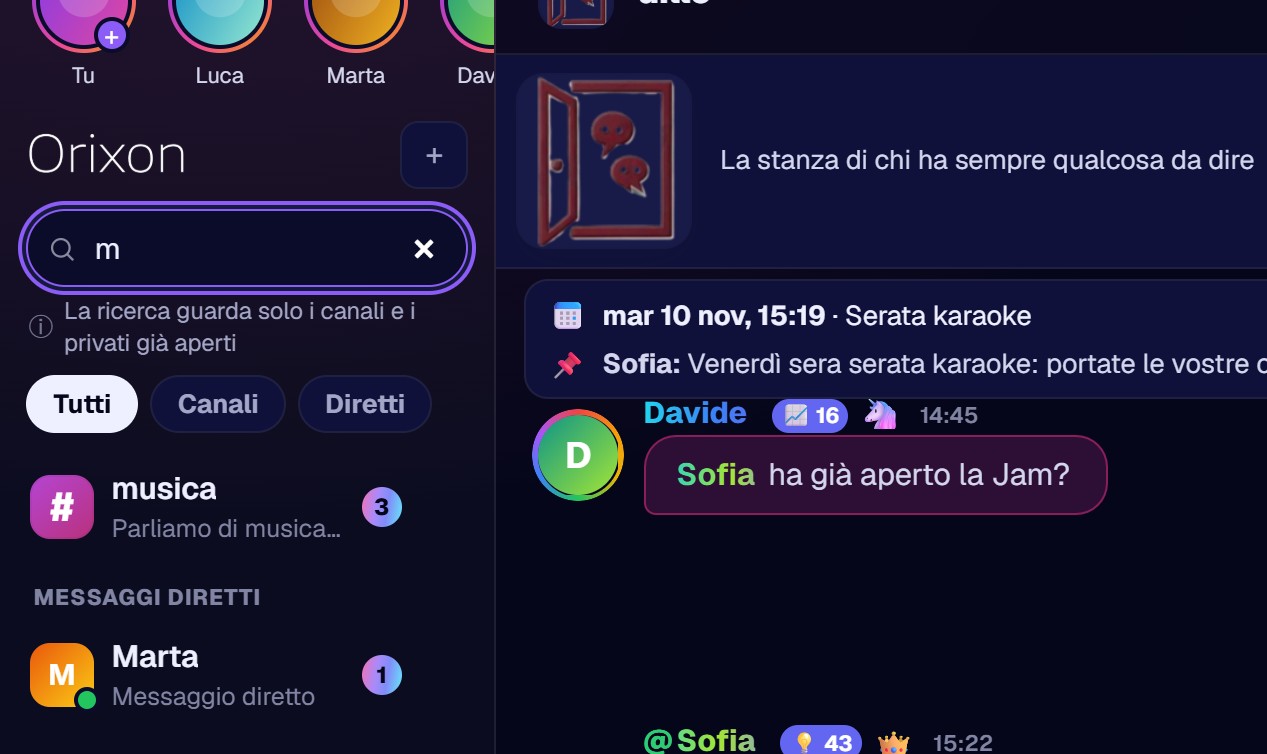
- The search bar on the leftInstantly filter the channels and private chats you already have open.
- Ctrl+KQuick search: channels, people and chat actions, from your keyboard.
- Explore channelsThe list of every channel on the network, sorted by topic and city.
Channels
The channel welcome
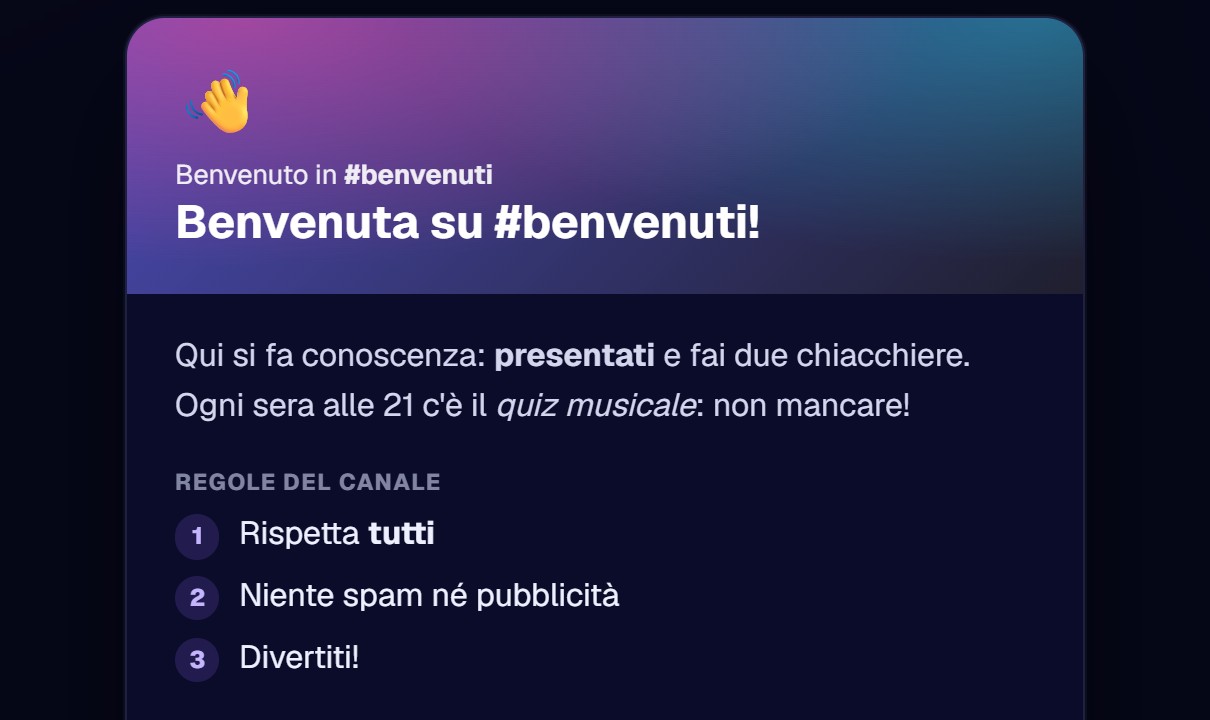
The first time you join a channel, its managers welcome you with a screen of their own.
- What it's aboutAn intro message, with bold, italics and links too.
- The rulesThe channel's few rules, numbered, before you get going.
- Recommended channelsOther channels you might like, one tap away.
People
Your profile
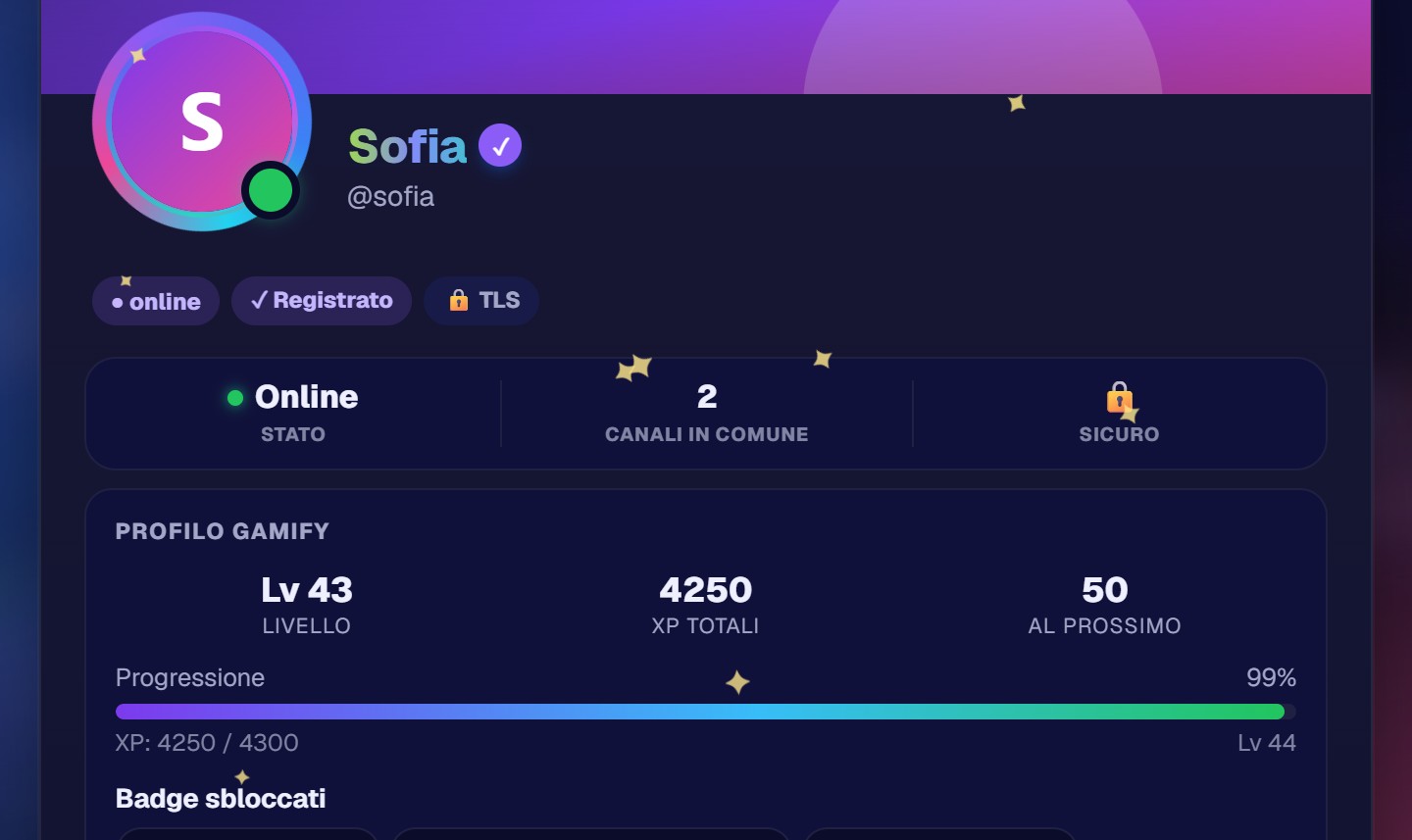
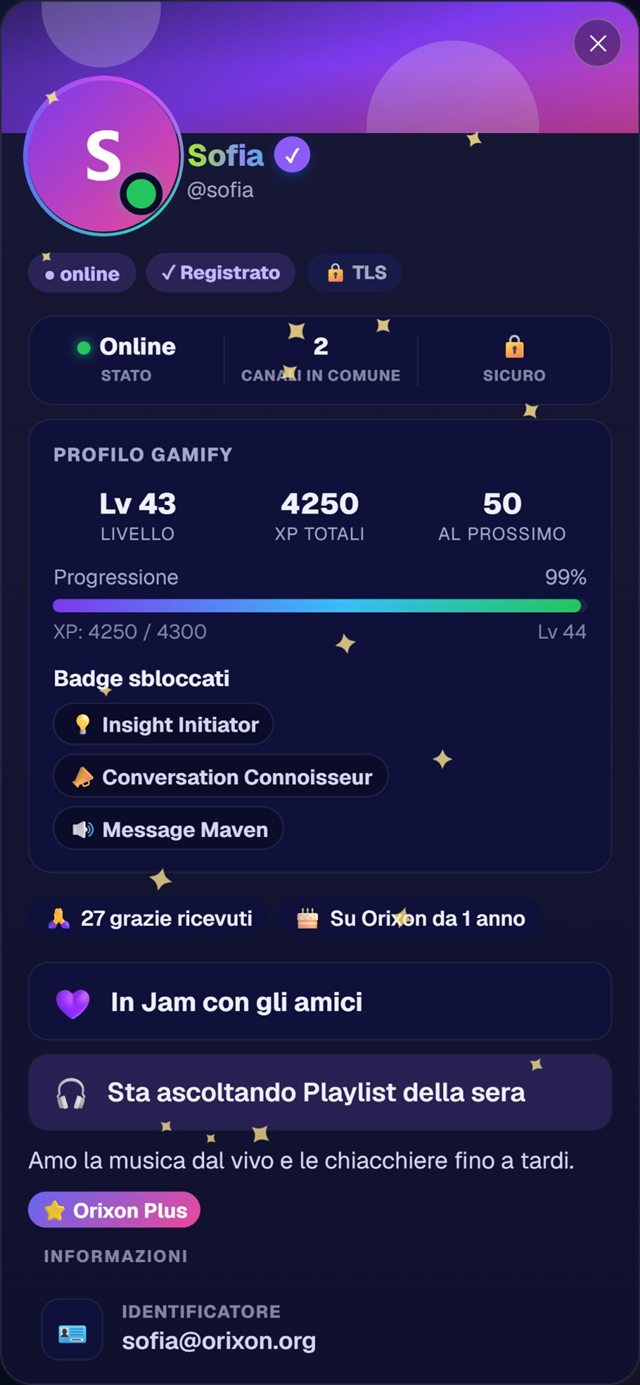
Who you are, what you're up to and your journey on Orixon, all on one card.
- Status and bioA line with an emoji to say what you're up to, and a couple of lines about you.
- Level and badgesYour level, your points and the badges you've unlocked.
- Your story on OrixonThe “thanks” you've received, your years on the network and what you're listening to.
People
Stories
A photo that lasts 24 hours, just like on social media. With Orixon Plus, a video up to 20 seconds too.
- At the top of the chatYour friends' stories are in the bar at the top: a colored ring means there's something new.
- You choose who sees themJust friends, or people in your channels too.
- Reactions and repliesReact with an emoji or reply: the reply arrives as a private message.
Levels
Levels, quests and streaks
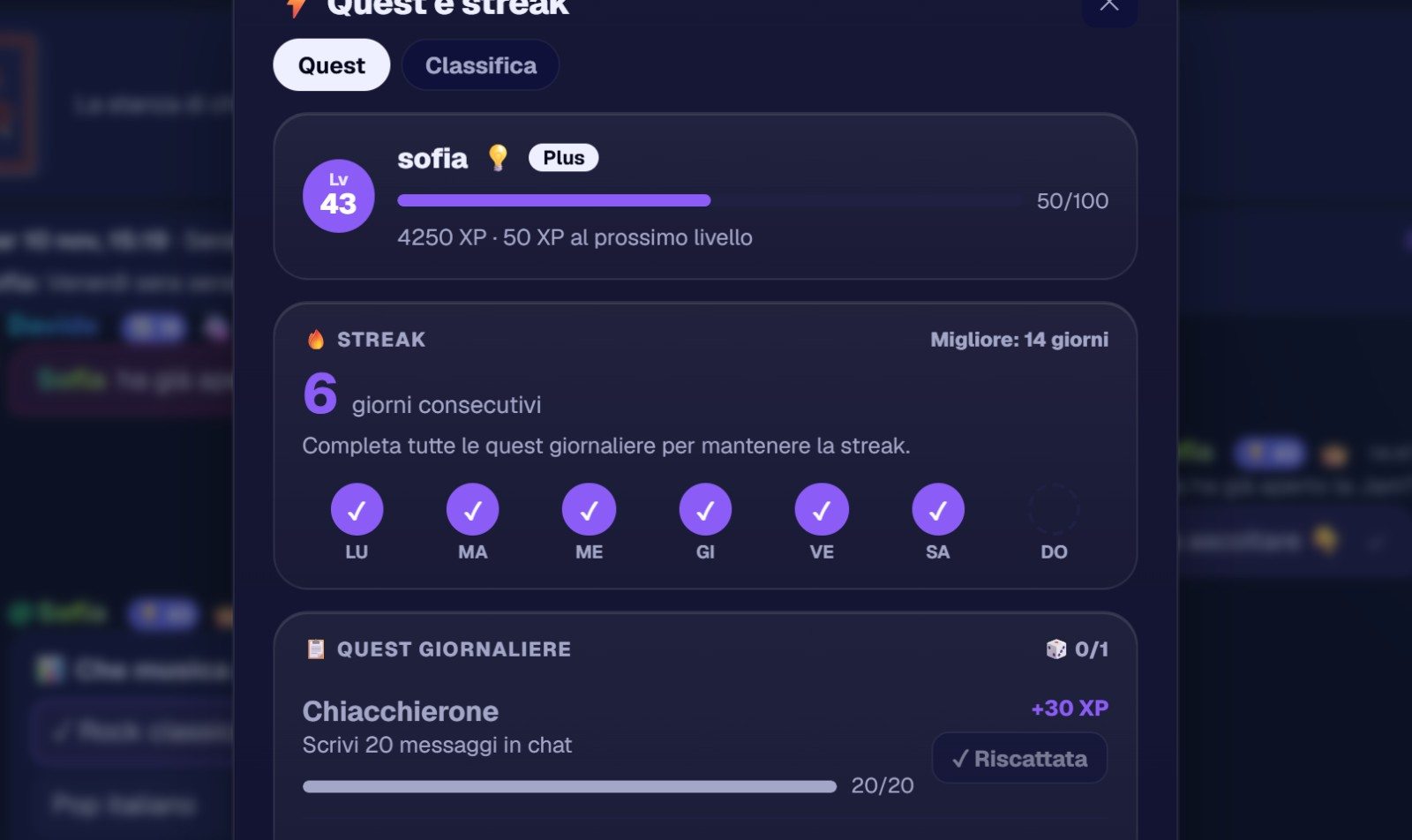
The more you take part, the more you level up. Quests give you a few extra goals every day.
- Daily and weekly questsChatting, reacting, joining new channels, listening together: every quest you complete earns points.
- Your streakComplete quests several days in a row and unlock milestones.
- Public “thanks”Thank someone who helped you or made you laugh, also with /thanks: a card appears in the channel and counts toward their reputation.
Events
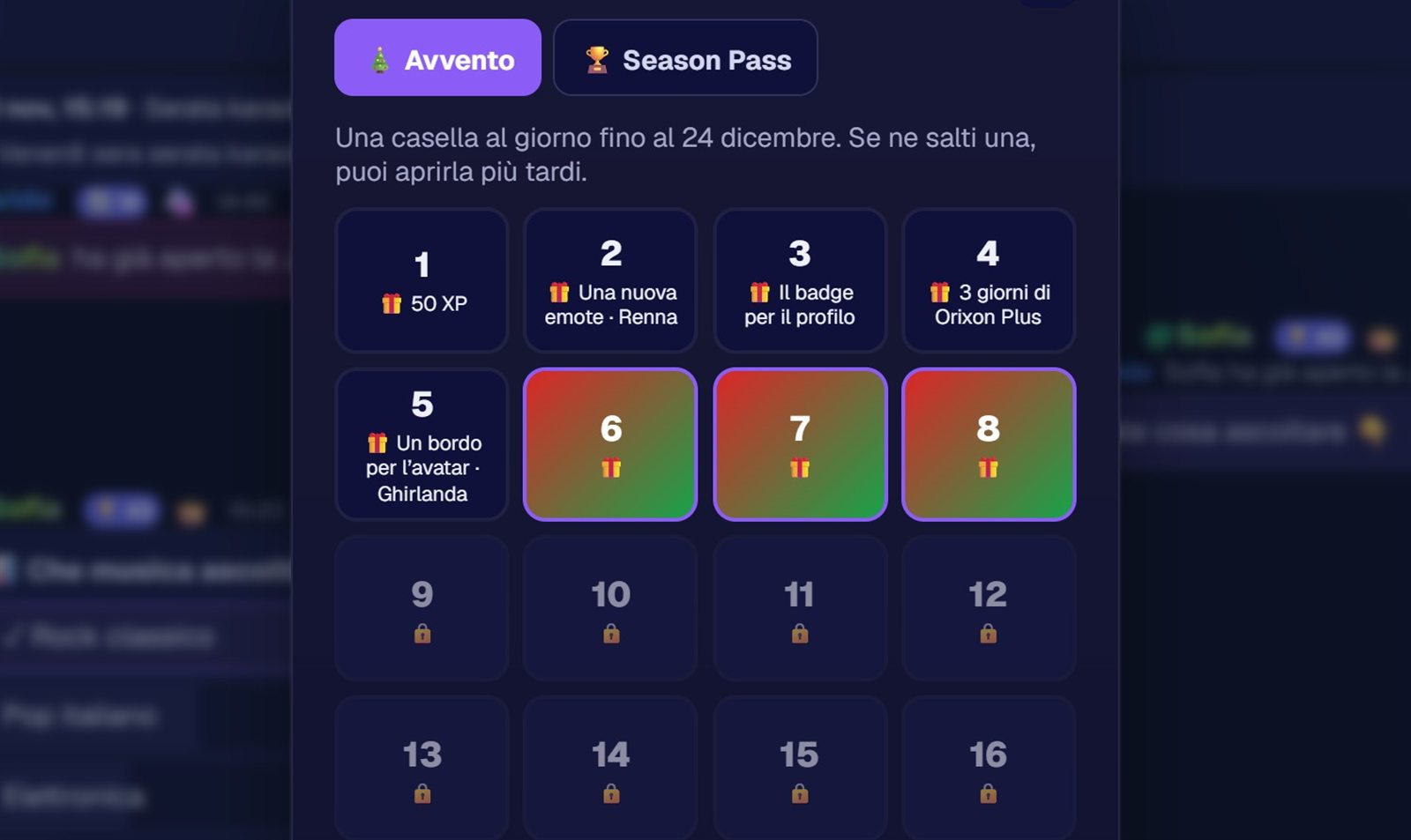
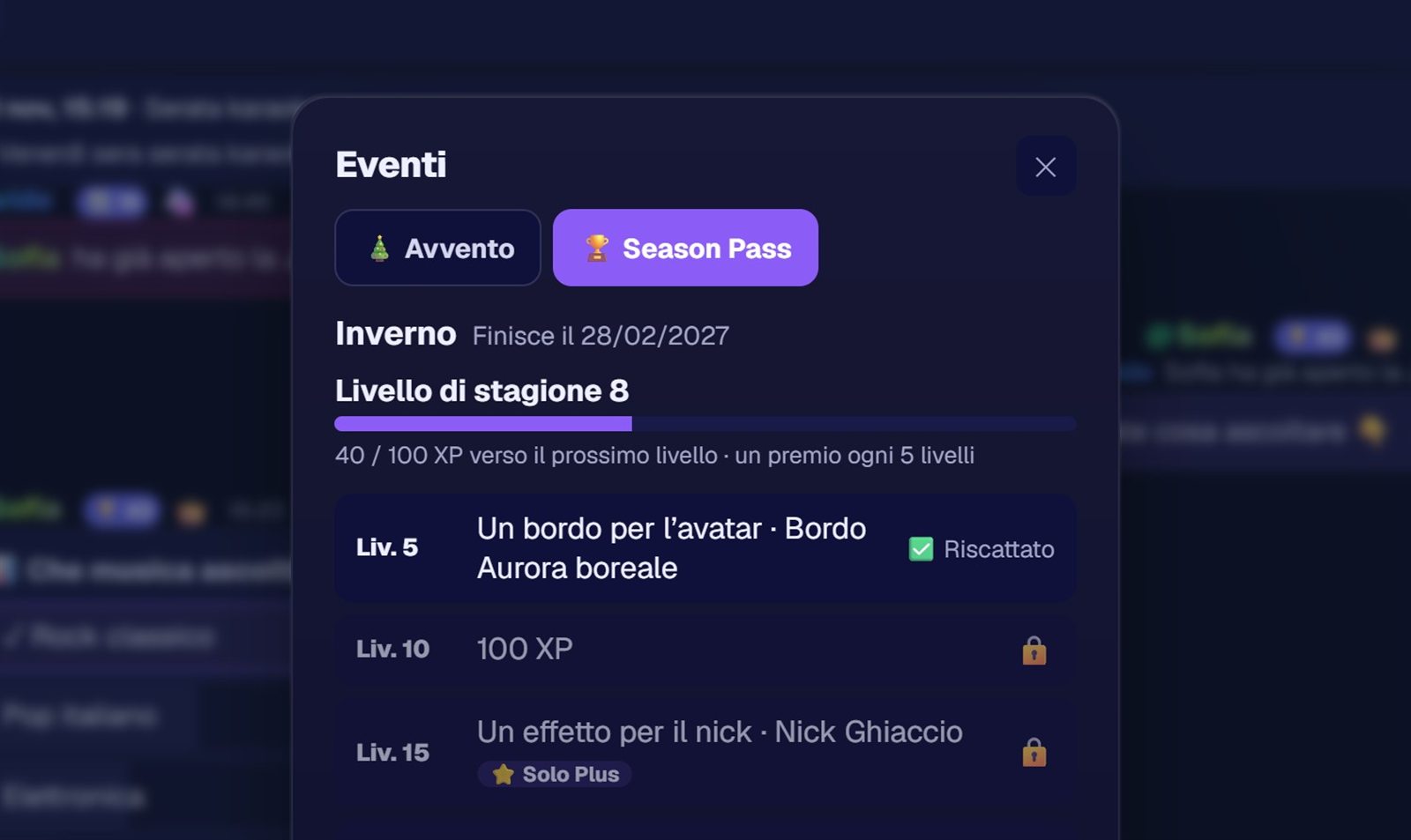
Advent Calendar and Season Pass
The Events panel has the latest surprises.
- Advent CalendarFrom December 1 to 24, one door a day for everyone with an account: emotes, badges, cosmetics, special quests or days of Plus.
- Season PassEvery season has its own levels and rewards: some for all registered users, others for Orixon Plus. With cosmetics that only exist in that event.
- AnniversaryAfter a year on Orixon, the channel celebrates with you, and the badge stays on your profile.
Together
Radio and Jam
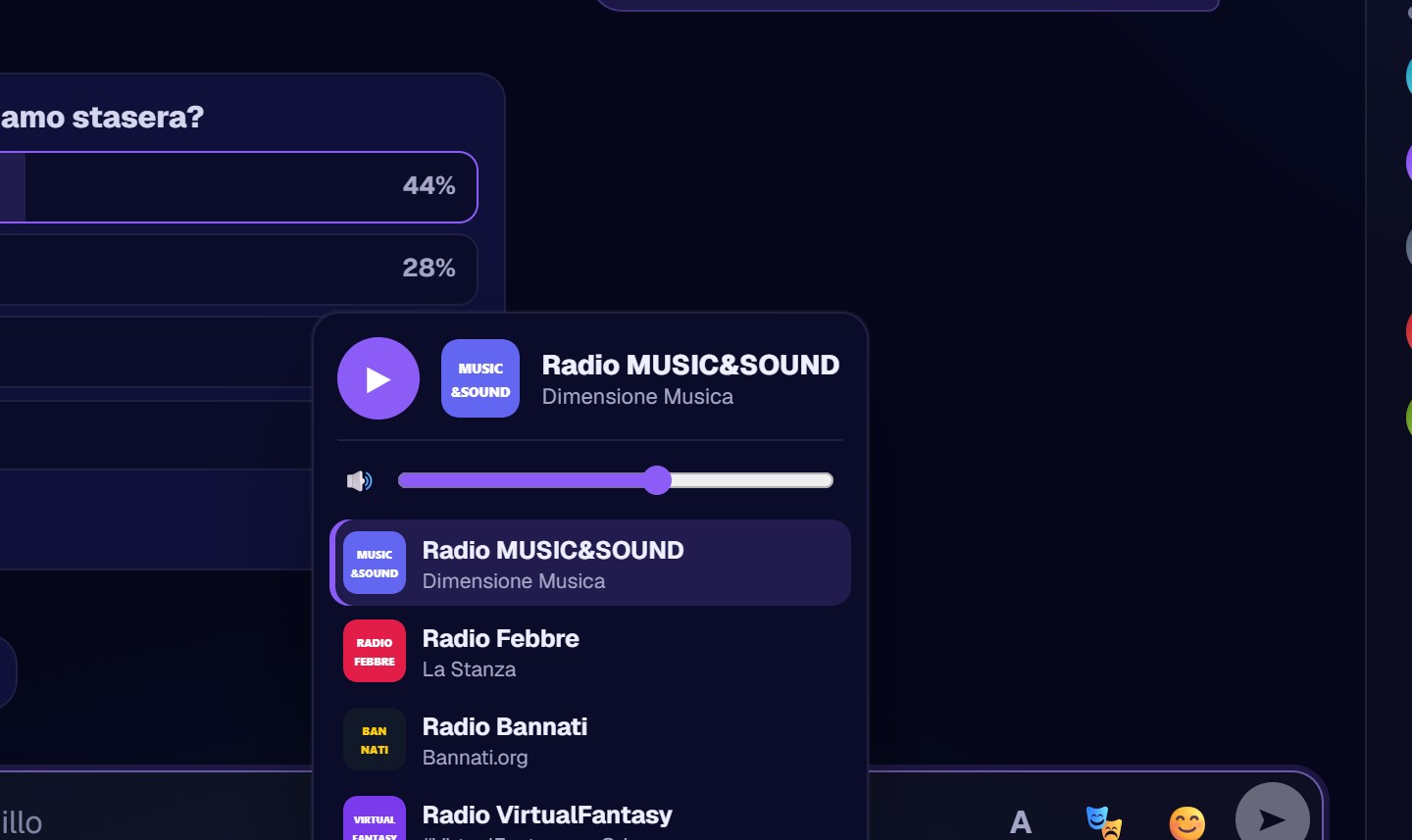
The music never stops while you chat.
- RadioOrixon's partner radio stations, to listen to while you type.
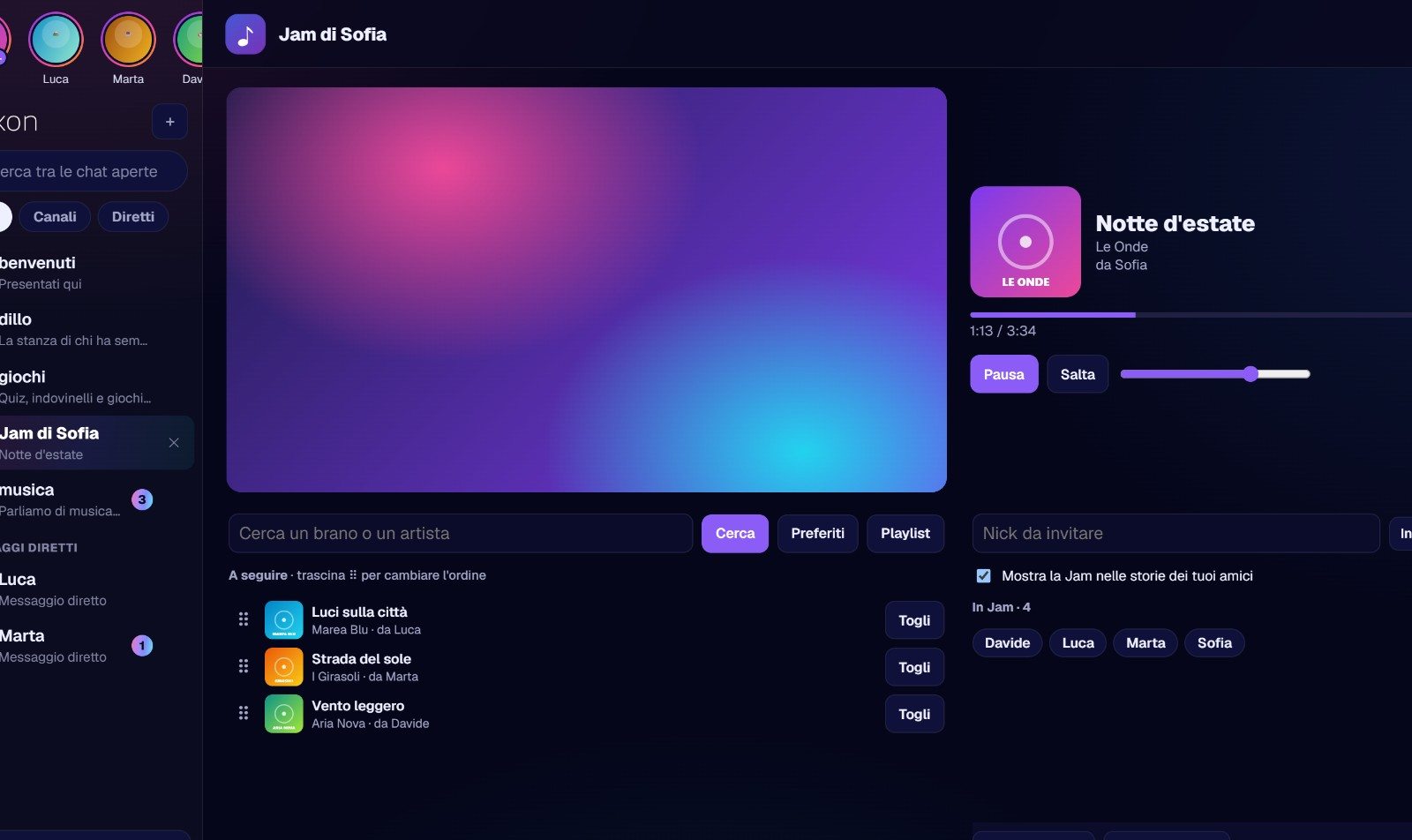
- Jam: listen togetherStart a Jam, search for tracks, add them to the queue and invite your friends: everyone hears the same song at the same moment.
Together
Watch together
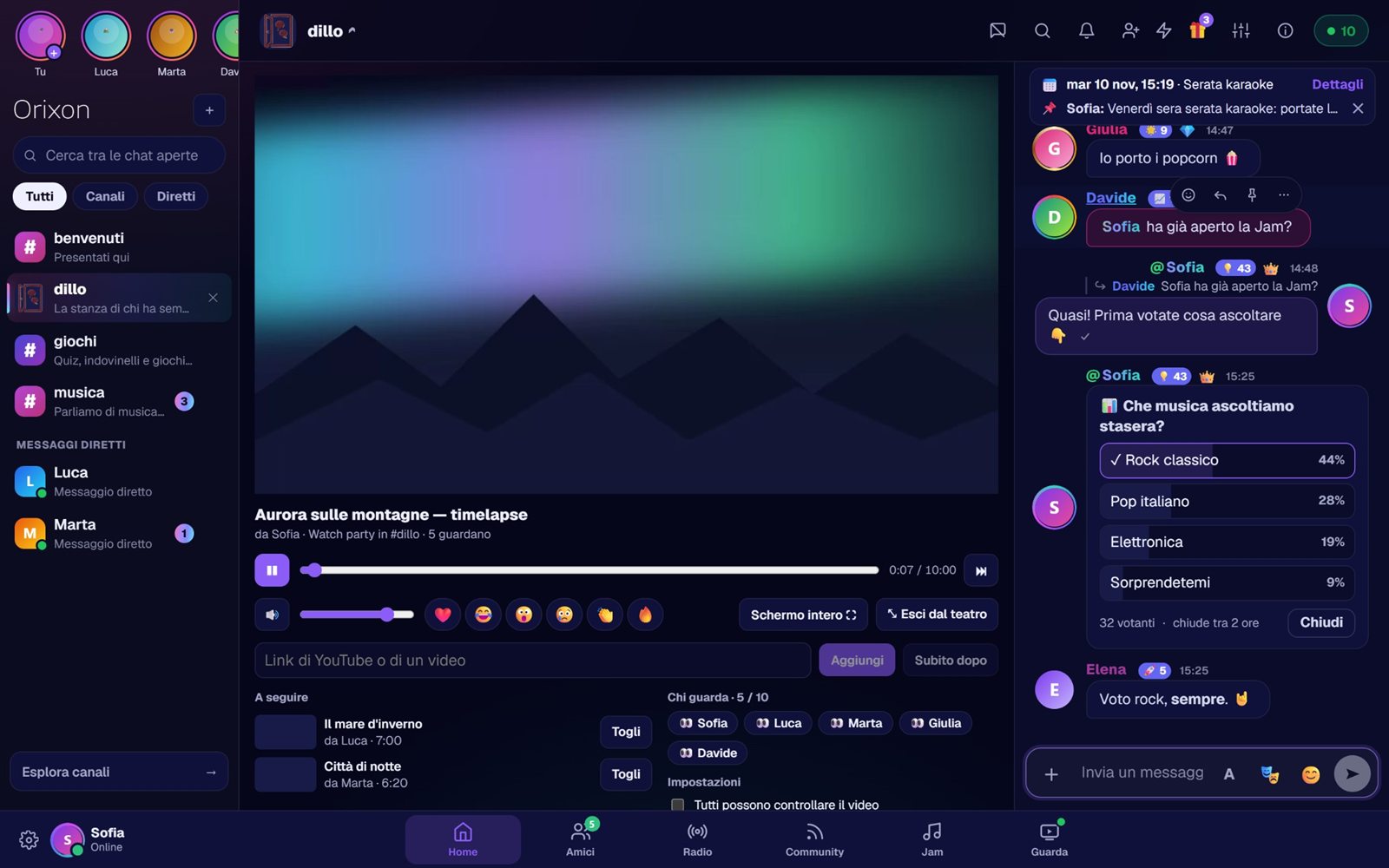
A Watch Party: the same video, at the same moment, for everyone.
- Private or in the channelBy invitation, only with the people you choose, or for the whole channel, started by its managers.
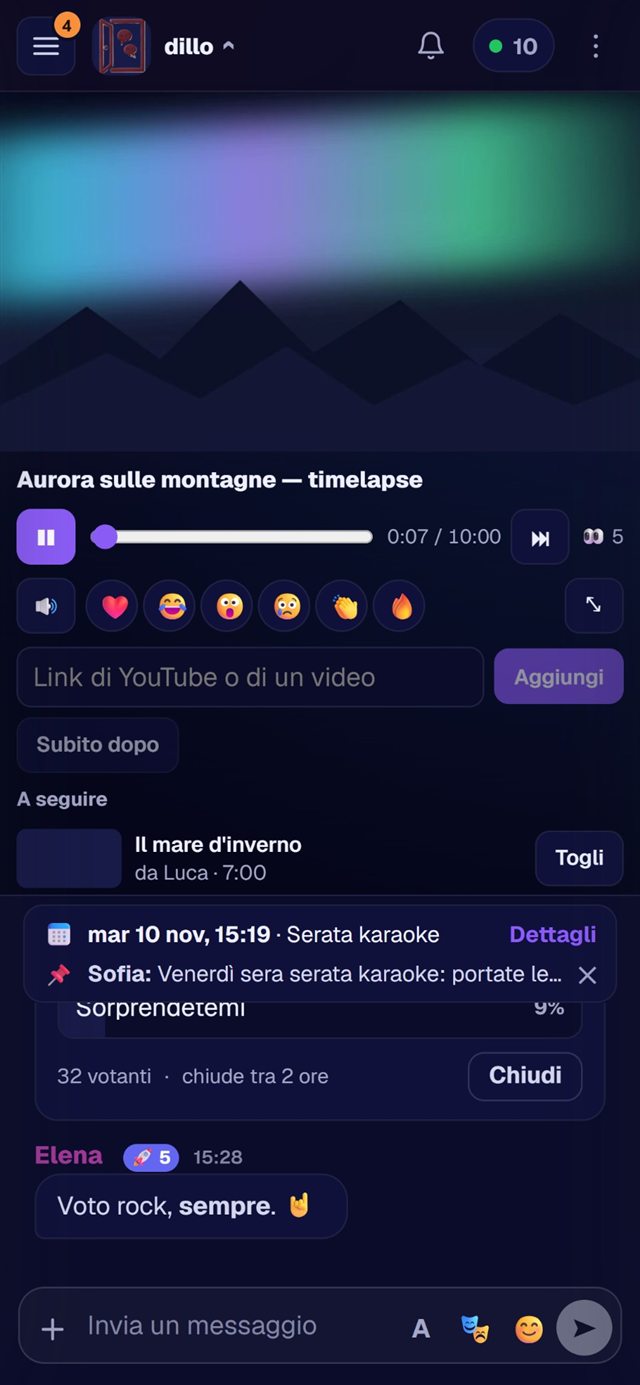
- Theater modeA big video with the chat beside it, just like a livestream. On your phone, the video stays at the top.
- Everyone joins inVideo queue, on-screen reactions and vote to skip.
Your way
Make the chat your own
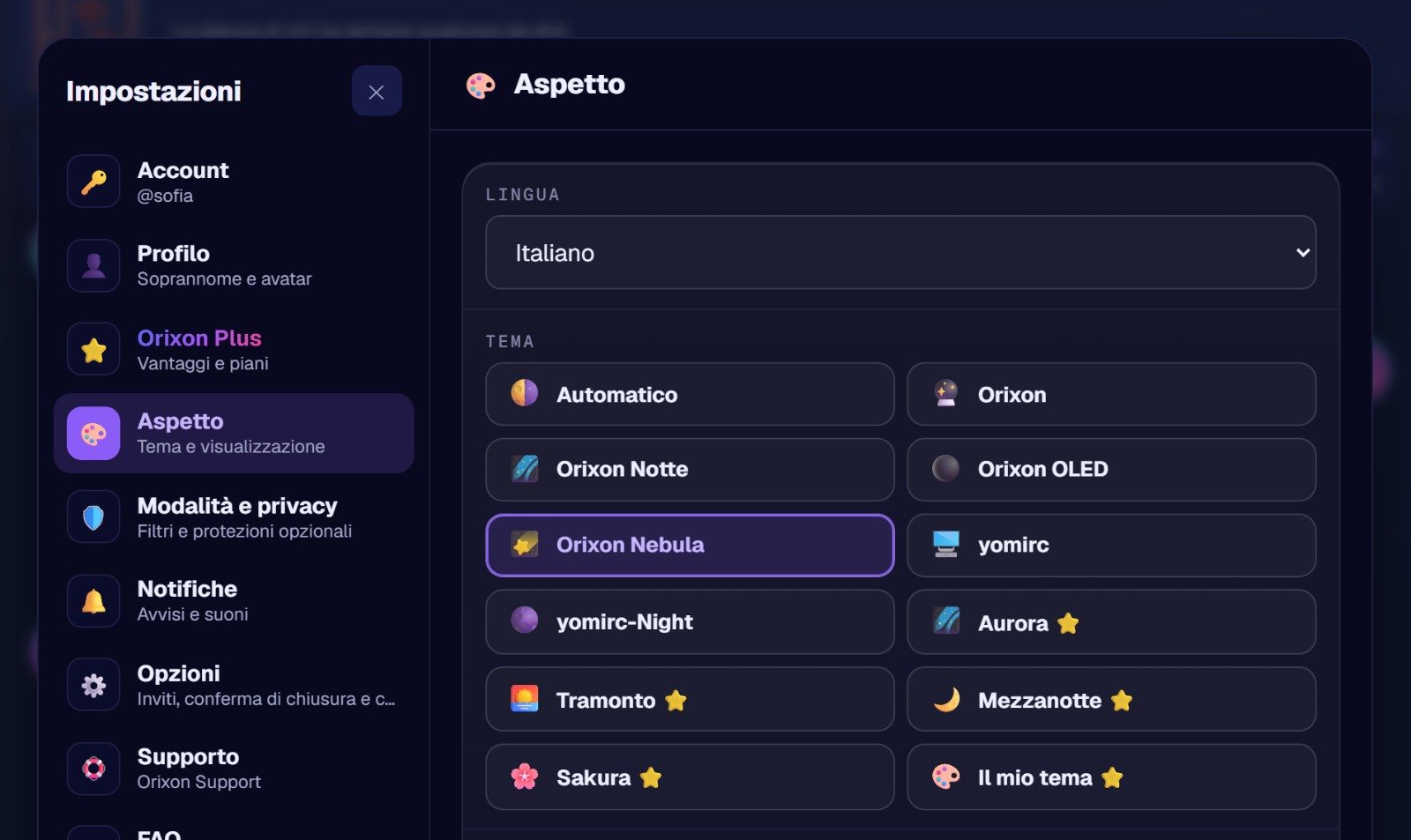
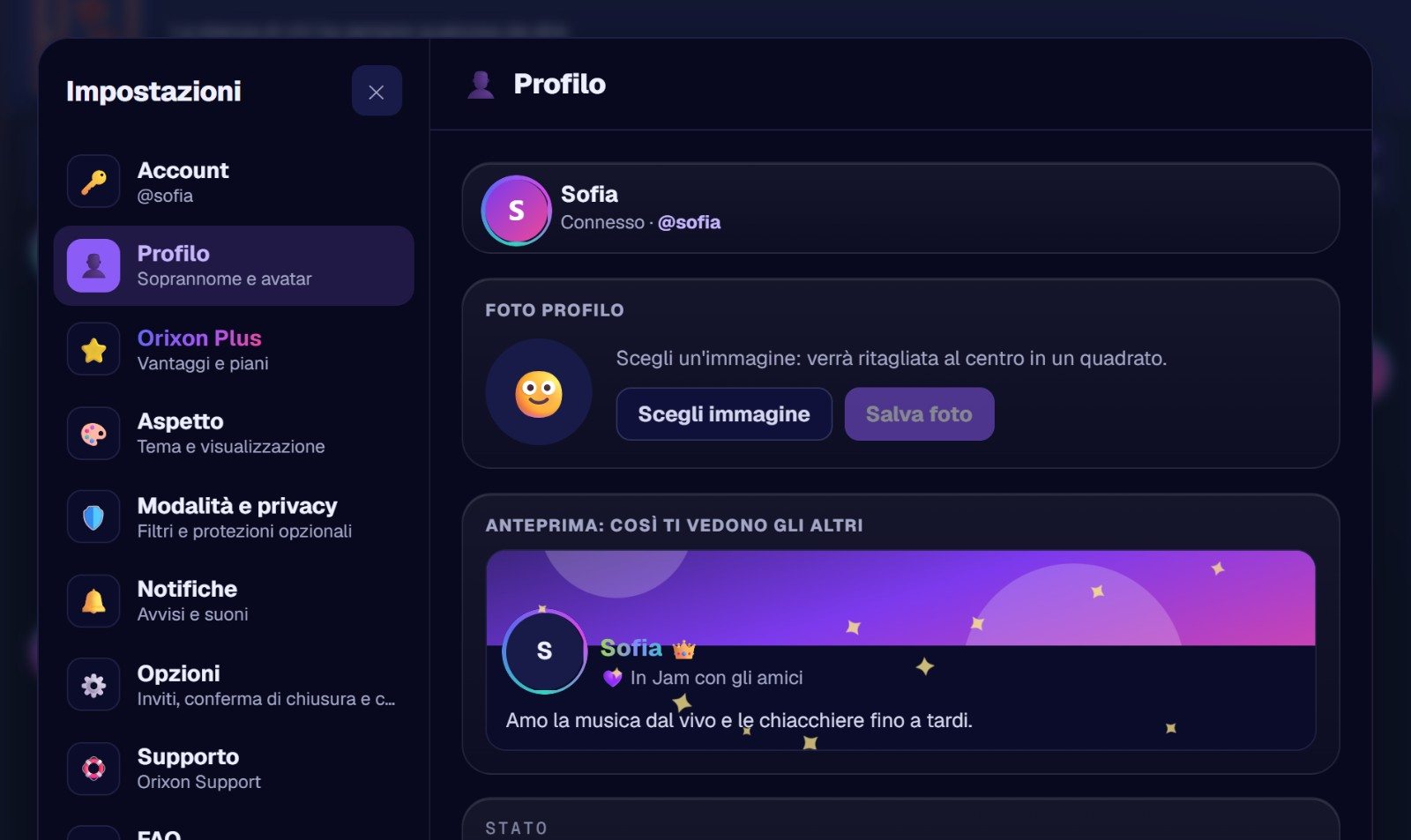
Theme, language and profile, just the way you like them.
- ThemesLight, dark, OLED, Nebula and the classic yomIRC. With Orixon Plus, also Aurora, Sunset, Midnight, Sakura and a theme all your own.
- Ten languagesItalian, English, French, German, Spanish, Portuguese (Brazil and Portugal), Russian, Turkish and Nepali.
- Your profilePhoto, status and bio for everyone; with Plus, nick color and effects, animated frame, cover and profile animations.
Orixon Plus
Orixon Plus: support Orixon and unlock more
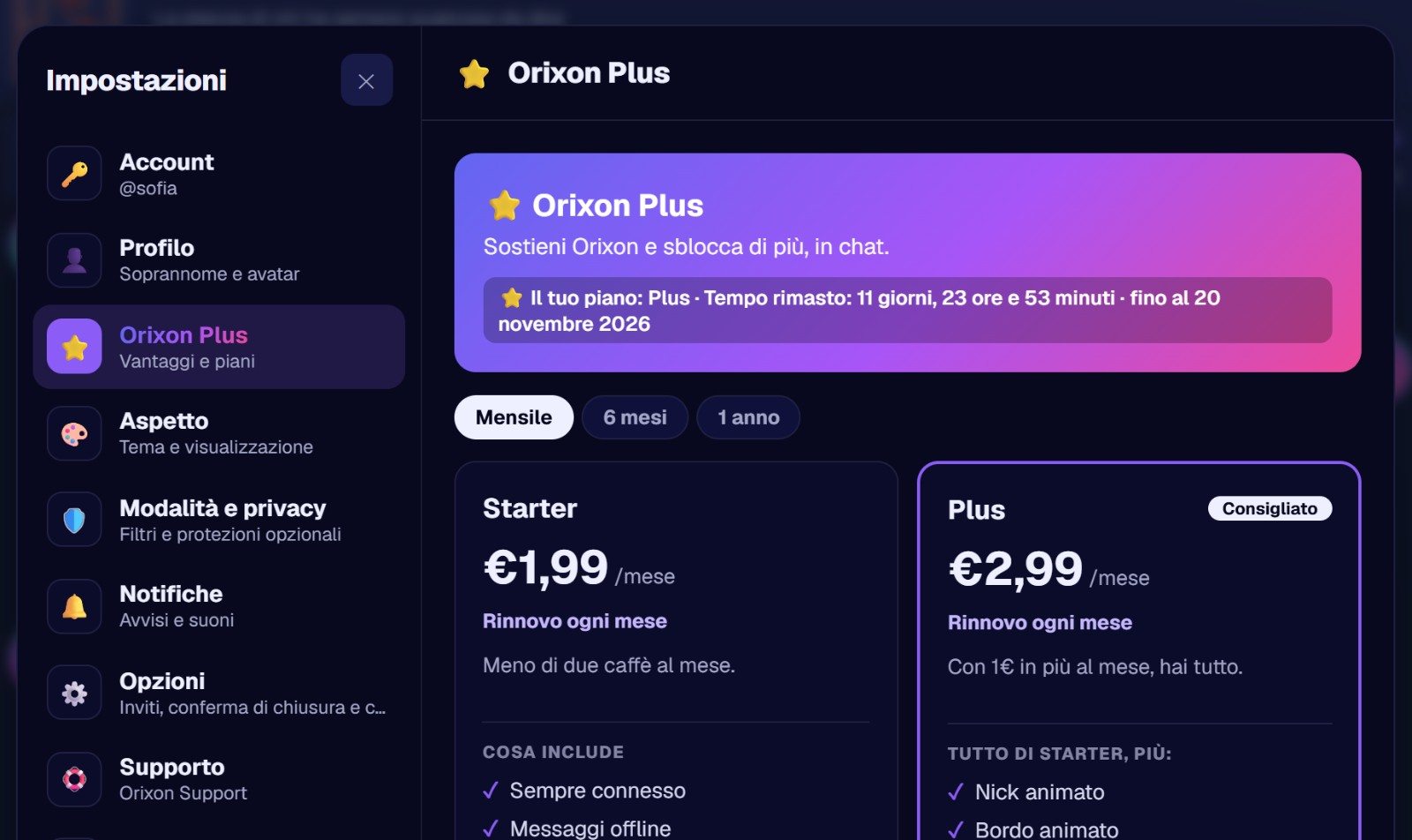
Two plans, just for the chat: Starter from €1,50 and Pro from €2,50 a month.
- StarterAlways connected and offline messages, multiple devices at once, Orixon Plus section in the user list, nick color, badge of your choice, GIF avatar, 4 exclusive themes, all emotes, uploads and videos up to 32 MB, seniority mark and 1 boosts.
- ProEverything in Starter, plus animated nick and border, cover and profile animations, custom theme, status with an animated emote, uploads and videos up to 64 MB, “view once” photos, videos in stories, Season Pass Plus rewards, no ads and 2 boosts.
- To give as a giftYou can gift Orixon Plus to a friend: they get a notification in the chat right away.
Everywhere
On your phone, just like an app
The chat is designed for phones first. You can add it to your Home screen and use it like an app.
- Everything at your thumb's reachThe bottom bar takes you to home, friends, radio, community, Jam and Watch together.
- NotificationsPrivate messages and mentions reach you even with the chat closed. “Busy” pauses them.
Safety
A friendly space
Orixon is a chat for everyone. Here's what it does to keep it that way.
Moderators on hand
In every channel, day and night.
Report in one tap
Someone bothering you? Report them to the staff from their profile, with the conversation attached.
Checked photos
Other people's images stay blurred until your device has checked them.
Separate adult channels
Flagged and kept off the list until you confirm you're 18 or older.
Encrypted connection
Everything travels encrypted (TLS).
Your account is yours
With an Orixon account your nick is protected, and nobody can pretend to be you.